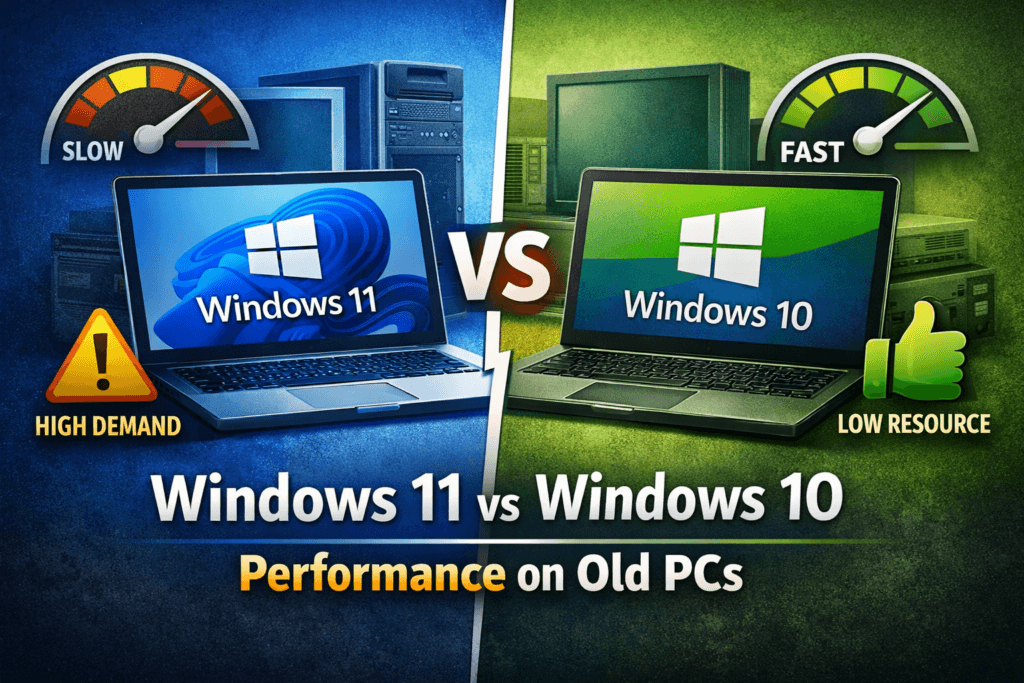
Upgrading an operating system is never an easy decision, especially when you are using an older computer. Many users are confused about Windows 11 vs Windows 10 performance on old PCs and whether upgrading is actually worth it. Microsoft promotes Windows 11 as faster, smarter, and more secure, but older hardware often struggles with new software demands. If your laptop or desktop is already slow, the wrong upgrade choice can make performance worse instead of better.
In this blog, we will compare Windows 11 vs Windows 10 performance on older PCs in real-world usage. We will look at speed, system requirements, boot time, multitasking, gaming, and long-term stability. This guide is written for home users, students, and small businesses using aging hardware. If you need expert help upgrading or repairing your system, visit https://maxipleitservices.com/ or call 8882841303 for professional support.
Understanding System Requirements on Old PCs
Before discussing real performance, it is important to understand official system requirements. Older PCs often fail to meet Windows 11 standards, which directly affects performance and stability.
Windows 10 System Requirements Explained
Windows 10 runs smoothly on a wide range of older computers. It supports traditional BIOS, older CPUs, and low RAM configurations. Many systems with 4GB RAM and HDDs still function reliably. Windows 10 was designed during a time when hardware diversity was higher, making it more flexible.
This flexibility is why many technicians still recommend Windows 10 for aging laptops. It consumes fewer background resources and remains stable on older processors.
Windows 11 Hardware Demands
Windows 11 introduces strict hardware rules like TPM 2.0, Secure Boot, and newer CPU generations. Even if installed using unofficial methods, these requirements impact Windows 11 vs Windows 10 performance on old PCs.
Background security services, animations, and UI effects consume more system resources. Older CPUs often struggle to handle these changes smoothly.
Windows 11 vs Windows 10 Performance in Daily Use
Daily usage performance matters more than benchmarks, especially for old PCs used for work or study.
Boot Time and Startup Speed
On older HDD-based systems, Windows 10 usually boots faster than Windows 11. Windows 11 has additional startup checks that slow down older hardware. SSD-equipped systems show smaller differences, but HDD users notice delays.
For low-end laptops, Windows 11 vs Windows 10 performance heavily favors Windows 10 during startup.
Multitasking and App Responsiveness
Windows 10 handles multitasking better on limited RAM systems. Running browsers, office apps, and background services feels smoother. Windows 11 uses more memory due to redesigned interface elements.
Older PCs with 4GB RAM often experience lag on Windows 11. Windows 10 remains more forgiving under heavy load conditions.
Windows 11 vs Windows 10 Performance for Gaming and Graphics
Gaming and graphics performance is a major concern for users with older GPUs and CPUs.
Gaming Performance on Older Hardware
Windows 10 delivers more consistent frame rates on older graphics cards. Windows 11 introduces features like Auto HDR and DirectStorage, but these mostly benefit newer hardware.
On older PCs, Windows 11 vs Windows 10 performance shows Windows 10 providing smoother gameplay. Windows 11 may cause micro-stutters due to background services.
Graphics Drivers and Compatibility
Most legacy graphics drivers are better optimized for Windows 10. Windows 11 driver support is improving but still inconsistent for older GPUs.
This makes Windows 10 the safer choice for users relying on older graphics hardware.
Stability, Updates, and Long-Term Performance
Stability is critical when using older computers for business or education.
Windows 10 Stability on Old PCs
Windows 10 has matured over many years. Bugs are minimal, and updates are predictable. Old PCs benefit from this stability and reduced crash frequency.
Many repair experts prefer Windows 10 because it causes fewer driver conflicts.
Windows 11 Update Impact
Windows 11 updates are frequent and resource-intensive. On older systems, updates can slow performance significantly. Background update processes affect Windows 11 vs Windows 10 performance over time.
This makes Windows 11 less suitable for aging hardware used daily.
Battery Life and Thermal Performance
Battery efficiency and heat management are often overlooked but crucial for old laptops.
Battery Performance Comparison
Windows 10 consumes less power on older systems. Background tasks are fewer, improving battery life. Windows 11’s visual effects drain batteries faster on unsupported hardware.
For laptops, Windows 11 vs Windows 10 performance clearly favors Windows 10 in battery efficiency.
Heat and Fan Noise
Older laptops often overheat with Windows 11 due to higher CPU usage. Windows 10 maintains lower thermal output, reducing fan noise and hardware stress.
This helps extend the life of aging components.
Which OS Is Better for Your Old PC?
Choosing the right operating system depends on your hardware and usage needs.
When Windows 10 Is the Better Choice
Windows 10 is ideal for PCs older than five years. It offers better speed, stability, and compatibility. Most users experience smoother performance without expensive upgrades.
For old hardware, Windows 11 vs Windows 10 performance comparisons strongly favor Windows 10.
When Windows 11 Might Work
Windows 11 can work on older PCs with SSDs, 8GB RAM, and supported CPUs. However, performance gains are minimal unless hardware meets official requirements.
Professional evaluation is recommended before upgrading.
Final Verdict: Windows 11 vs Windows 10 Performance on Old PCs
In the final comparison of Windows 11 vs Windows 10 performance, Windows 10 clearly remains the better option for older PCs. It is faster, more stable, and more compatible with aging hardware. Windows 11 is designed for modern systems and struggles to deliver smooth performance on old machines.
If you are unsure which operating system suits your PC, expert guidance can save time and money. Visit https://maxipleitservices.com/ or call 8882841303 for professional laptop and computer repair services, upgrades, and OS optimization.