A no-display computer monitor issue is one of the most frustrating problems computer users face. Your system may power on, fans may spin, and indicator lights may glow, yet the screen remains blank. This problem can occur suddenly and disrupt work, gaming, or important tasks. Understanding the root cause of a no-display computer monitor issue helps you avoid unnecessary repairs and potential data loss.
Display problems may be caused by loose cables, faulty hardware, power supply issues, or internal component failure. Sometimes the issue is minor and easily fixable, while other cases require professional diagnosis. At https://maxipleitservices.com/, experienced technicians handle computer display issues efficiently and safely. For immediate assistance, you can call 8882841303 and get expert support.
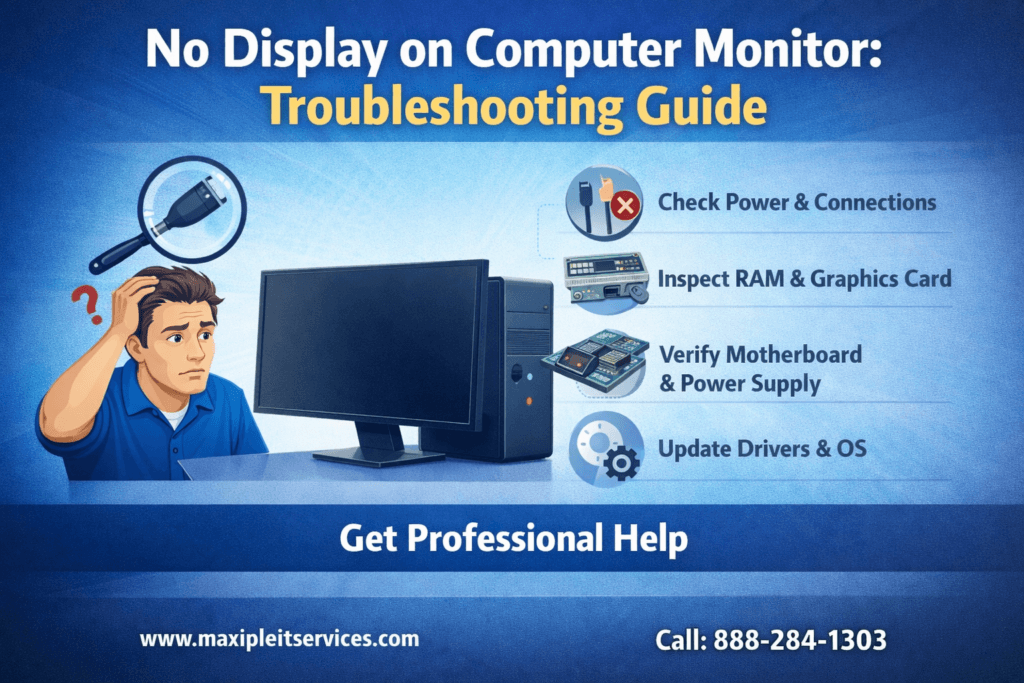
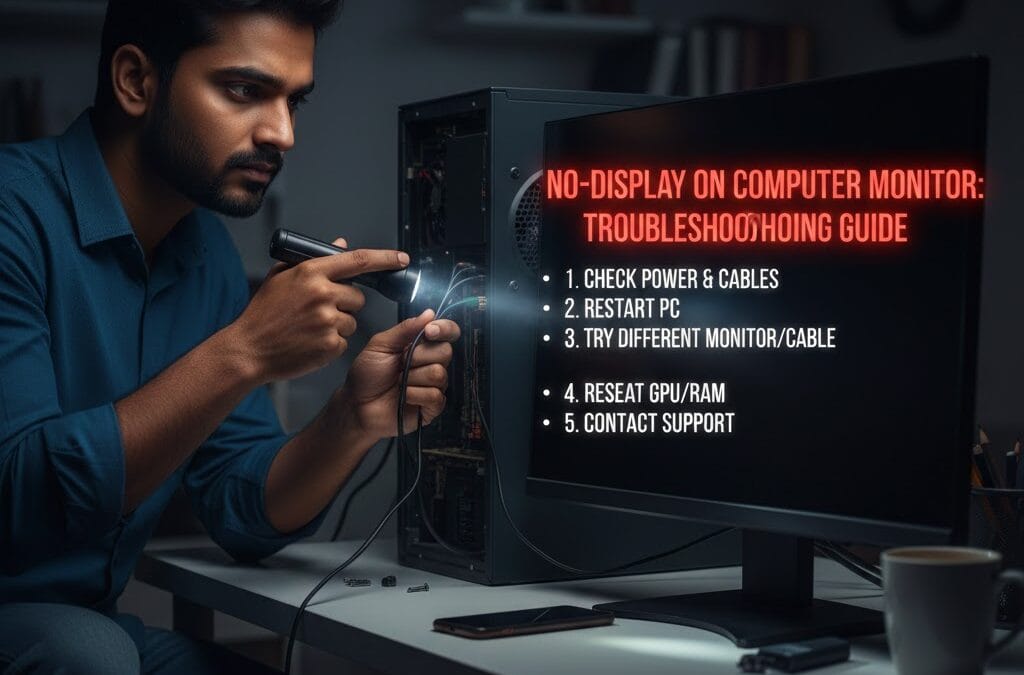
This troubleshooting guide explains common causes, step-by-step checks, and professional solutions for no display issues.
Common Causes
A no-display computer monitor problem can arise from both external and internal factors. Identifying the exact cause saves time and prevents unnecessary component replacement. Many display issues begin with simple connectivity or power-related problems.
External devices, cables, and power sources should always be checked first. Internal hardware issues usually require technical expertise and proper tools. Understanding these causes helps determine whether DIY troubleshooting is sufficient or professional repair is needed.
Cable and Connection Problems
Loose or damaged cables are a common reason for no-display computer monitor errors. HDMI, VGA, or DisplayPort cables may wear out over time. Even a slightly disconnected cable can completely stop the display output.
Always inspect cables for visible damage and ensure all connections are secure. Trying a different cable often resolves the issue quickly and efficiently.
Monitor Power Issues
If the monitor is not receiving power, the screen will remain blank. Power adapters or internal monitor components may fail unexpectedly. A no-display computer monitor problem can occur even when the computer itself appears to be working normally.
Check the power indicator light and try another power outlet. Testing the monitor with a different system helps confirm whether the issue lies with the monitor.
Step-by-Step No Display Computer Monitor Troubleshooting
Following a structured troubleshooting process helps isolate the exact issue. Performing checks in the correct order avoids confusion and saves time. Many no-display computer monitor issues are resolved during basic inspection steps.
Always start with external checks before opening the computer cabinet. This reduces the risk of accidental hardware damage.
Basic External Checks
Ensure the monitor is turned on and set to the correct input source. Incorrect input selection frequently causes a no-display computer monitor problem. Also check brightness and contrast settings.
Restart both the computer and monitor to reset temporary system glitches. Simple restarts often resolve display-related problems.
Testing with Another Monitor
Connecting your computer to another monitor helps identify whether the issue lies with the monitor or the system. If the second monitor works properly, the original monitor likely requires repair or replacement.
If no display appears on both monitors, the problem may be related to internal hardware. Professional diagnosis is recommended in such situations.
Hardware Problems Behind
Internal hardware failure is a serious cause of no-display computer monitor issues. Components such as RAM, graphics cards, or motherboards may malfunction over time. These problems often require expert handling and diagnostic tools.
Ignoring hardware-related issues can worsen damage and increase repair costs. Early intervention helps protect your system.
RAM and Graphics Card Issues
Loose or faulty RAM modules can prevent display output. Reseating the RAM often fixes no-display computer monitor problems. Similarly, a damaged or overheating graphics card can stop video signals entirely.
Dust buildup also affects hardware performance. Professional internal cleaning improves reliability and prevents overheating-related failures.
Motherboard and Power Supply Failures
A failing motherboard may not transmit display signals to the monitor. Power supply issues can also prevent components from functioning correctly. These failures often show no visible external signs.
Professional technicians use advanced diagnostic tools to identify faulty components accurately. DIY repair attempts without experience may cause permanent damage.
Issues After System Startup
Sometimes the display works during startup but disappears later. This type of no-display computer monitor issue is often software-related. Graphics drivers, operating system errors, or malware may be responsible.
Software-related problems are generally easier to fix than hardware failures if detected early.
Graphics Driver Problems
Corrupt or outdated graphics drivers frequently cause display problems. Updating or reinstalling drivers can restore proper display functionality. Accessing Safe Mode often helps resolve these issues safely.
Professional servicing ensures correct driver installation without risking data loss.
Operating System Errors
System file corruption may result in no-display computer monitor issues after login. Repairing or reinstalling the operating system often resolves the problem effectively.
Always back up important data before system repairs. Experts ensure data safety throughout the repair process.
When to Seek Professional No-Display Computer Monitor Repair
Not all display issues can be solved at home. Knowing when to seek professional help saves time and prevents costly mistakes. Persistent no-display computer monitor problems usually indicate deeper system issues.
Professional repair ensures accurate diagnosis and long-term solutions.
Benefits of Professional Diagnosis
Technicians use advanced tools to identify exact faults. Professional diagnosis reduces guesswork and avoids unnecessary part replacement. This approach saves money and ensures long-term system stability.
At https://maxipleitservices.com/, experts handle all types of display and hardware issues efficiently.
Risks of DIY Hardware Repair
Opening a computer without proper technical knowledge may damage sensitive components. Incorrect handling can void warranties and worsen existing problems. No-display computer monitor issues often involve delicate circuitry.
Calling 8882841303 ensures safe and reliable repair by trained professionals.
Preventing Future No Display Computer Monitor Problems
Prevention is always better than repair. Regular maintenance significantly reduces the risk of no-display computer monitor issues. Simple habits can greatly improve system reliability and lifespan.
Scheduled servicing keeps both hardware and software in optimal condition.
Regular Maintenance Practices
Clean internal components to prevent dust buildup. Handle cables carefully and replace damaged ones promptly. Regular software and driver updates keep systems stable and secure.
Professional servicing detects early warning signs and prevents sudden breakdowns.
Importance of Timely Servicing
Ignoring minor issues often leads to major failures. Timely servicing ensures consistent performance and extends the lifespan of your computer. Regular checks reduce unexpected downtime.
Maxiple IT Services provides comprehensive maintenance plans tailored to user needs.
Why Choose Maxiple IT Services for Display Issues
Maxiple IT Services offers expert solutions for all computer display problems. Their technicians handle no-display computer monitor issues with precision and care. Transparent pricing and quick turnaround ensure customer satisfaction.
With years of experience, they deliver reliable and long-lasting repair solutions.
Trusted Computer Repair Experts
Certified professionals diagnose and repair both hardware and software issues accurately. Genuine parts and advanced tools ensure high-quality results. Customer support remains responsive throughout the service process.
Easy Support and Quick Assistance
Scheduling service is simple and convenient. Call 8882841303 or visit https://maxipleitservices.com/ for expert help. Reliable service ensures peace of mind and system stability.
Conclusion: Fix No Display Computer Monitor Issues Effectively
A no-display computer monitor problem can stem from simple cable issues or complex hardware failures. Following proper troubleshooting steps helps identify the cause efficiently. Early diagnosis prevents data loss and costly repairs.
For reliable and professional repair, trust Maxiple IT Services. Visit https://maxipleitservices.com/ or call 8882841303 today to restore your computer display quickly and safely.