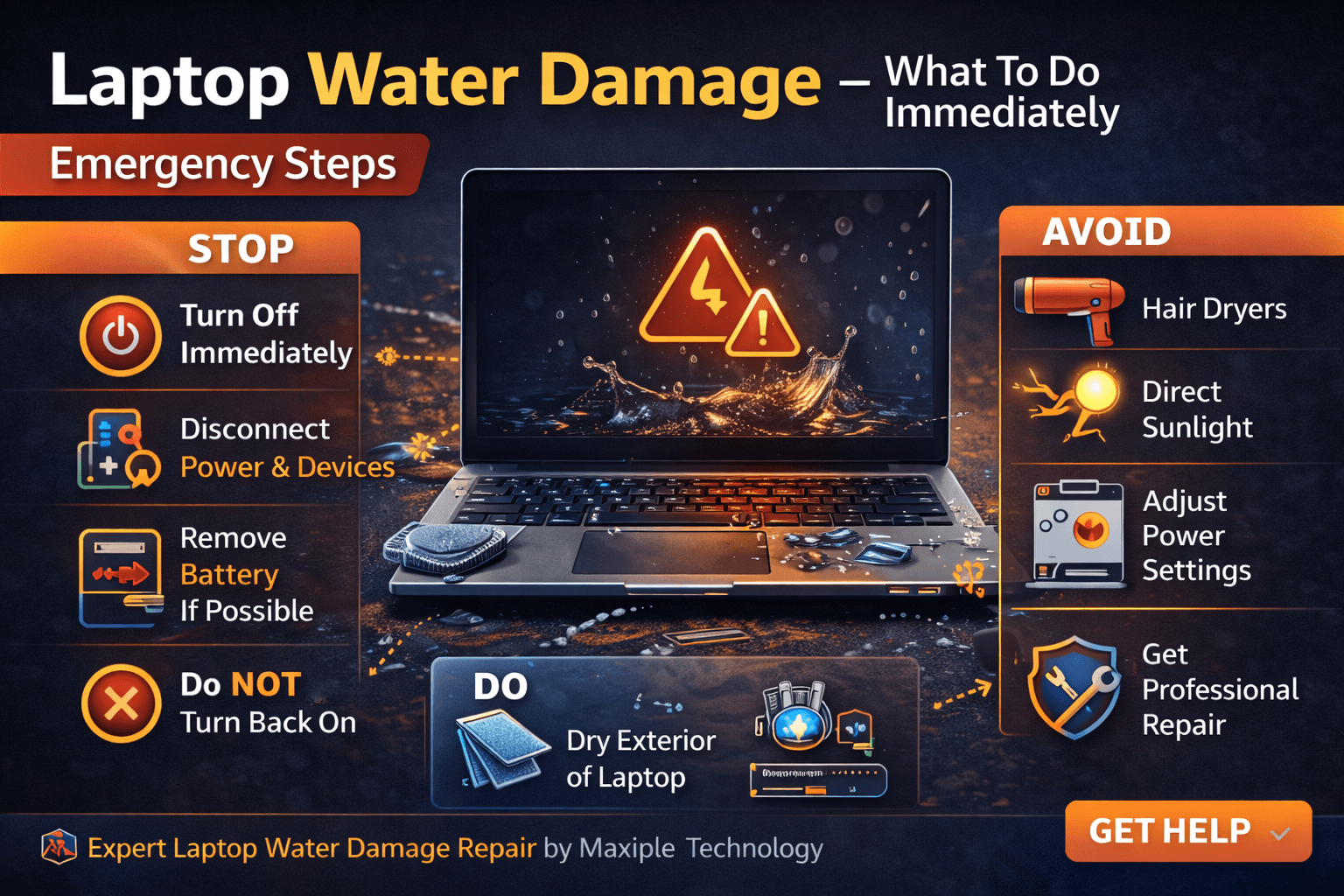
Laptop Water Damage – What To Do Immediately
Laptop water damage is one of the most serious problems users can face. Whether it’s a spilled drink, rain exposure, or accidental water contact, liquid entering a laptop can damage internal components very quickly. Knowing laptop water damage – what to do immediately can make the difference between saving your device and permanent hardware failure.
Water can short-circuit delicate components like the motherboard, keyboard, battery, and display connectors. Acting quickly is essential when dealing with laptop water damage – what to do immediately to minimize damage.
In this guide, we will explain the most important steps you should take if your laptop gets wet.
What To Do Immediately After Laptop Water Damage
1. Turn Off the Laptop Immediately
The first and most important step in laptop water damage – what to do immediately is shutting down the laptop as quickly as possible.
Electric current combined with water can cause short circuits that damage internal components.
What to do
Power off the laptop immediately
Do not try to continue using it
Disconnect the charger and power source
Turning off the laptop quickly reduces the risk of permanent hardware damage.
2. Disconnect All External Devices
External accessories connected to the laptop may also be affected by water exposure.
Disconnecting these devices is an important step in laptop water damage – what to do immediately.
Remove
USB drives
External mouse or keyboard
Headphones or cables
External hard drives
This prevents further electrical damage.
3. Remove the Battery (If Possible)
If your laptop has a removable battery, take it out immediately after shutting down the device.
Removing the battery is a critical step in laptop water damage – what to do immediately because it cuts off the remaining electrical power.
Steps
Turn the laptop upside down
Remove the battery carefully
Keep the battery separate from the laptop
For laptops with non-removable batteries, simply turning the device off is the best option.
4. Dry the Exterior of the Laptop
After shutting down the laptop, gently dry the outside surfaces.
This step is essential in laptop water damage – what to do immediately to prevent additional liquid from entering the internal components.
How to dry it
Use a microfiber cloth or tissue
Turn the laptop upside down in a tent position
Allow liquid to drain out
Avoid shaking the laptop, as this can spread liquid internally.
5. Do NOT Turn the Laptop Back On
Many users make the mistake of turning the laptop back on to check if it still works.
However, this is one of the worst things you can do after laptop water damage – what to do immediately.
Why this is dangerous
Water may still be inside the motherboard
Powering on may cause short circuits
Internal components may get permanently damaged
Always allow the laptop to dry and be inspected before turning it back on.
6. Avoid Using Heat to Dry the Laptop
Using hair dryers or heaters may seem like a quick fix, but it can actually worsen the damage.
Heat can push water deeper into internal components.
Avoid
Hair dryers
Direct sunlight
High heat devices
Proper internal cleaning is usually required after laptop water damage – what to do immediately.
Professional Laptop Water Damage Repair
Even if the laptop appears to work after drying, internal corrosion may still occur. Liquid damage can slowly damage the motherboard and other components over time.
This is why professional inspection is recommended after laptop water damage – what to do immediately.
At Maxiple Technology, technicians perform detailed diagnostics and internal cleaning to repair liquid-damaged laptops safely.
Professional services include:
Liquid damage diagnostics
Motherboard cleaning and repair
Keyboard replacement
Internal component inspection
MacBook and Windows laptop repair
You can explore professional laptop repair services here:
https://maxipleitservices.com/
You can also check customer reviews and service details here:
https://share.google/CjaTyEXpJX72nL6LX
Professional repair can significantly increase the chances of saving a water-damaged laptop.
Conclusion
Understanding laptop water damage – what to do immediately is essential to protect your device from serious damage.
The most important steps include:
Turning off the laptop immediately
Disconnecting power and accessories
Removing the battery if possible
Drying the device carefully
Avoiding turning the laptop back on
Taking quick action can prevent permanent damage and increase the chances of successful repair.
If your laptop has experienced water damage, professional repair services can diagnose the problem and restore your device safely.