
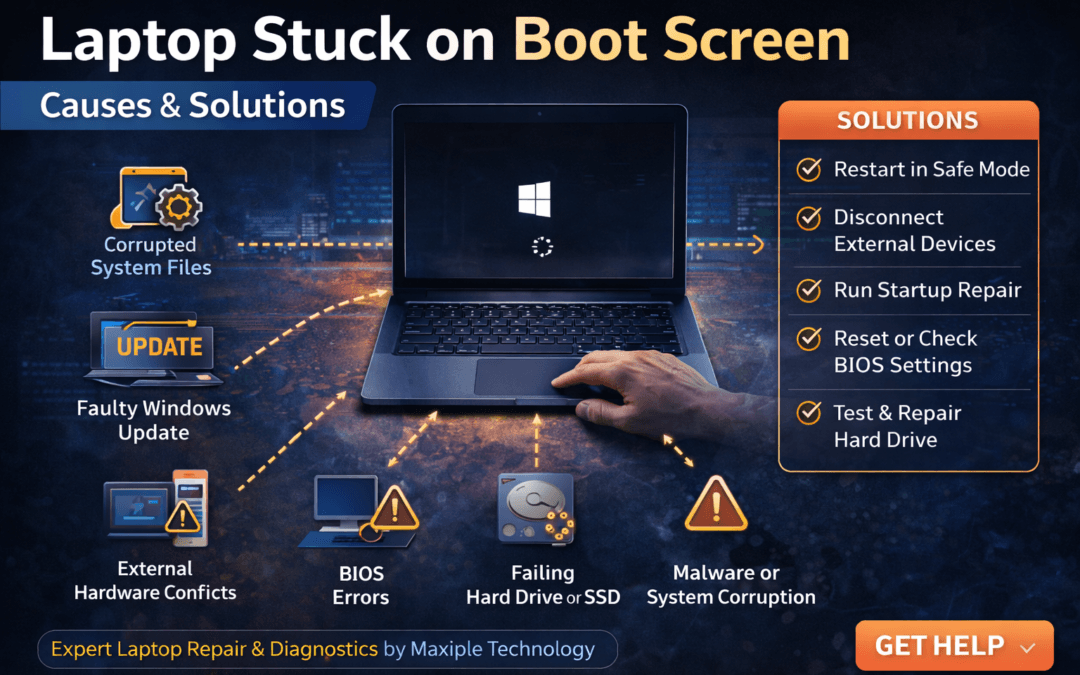
Laptop Stuck on Boot Screen – Causes & Solutions
A laptop getting stuck on the boot screen can be extremely frustrating, especially when you need your device for important work. Normally, when you turn on a laptop, it quickly loads the operating system and takes you to the login screen. However, sometimes users experience the laptop stuck on boot screen – causes & solutions issue where the system freezes on the startup logo.
This problem may occur due to corrupted system files, hardware conflicts, BIOS errors, or failed updates. Understanding the laptop stuck on boot screen – causes & solutions can help you diagnose the issue and get your laptop working again.
In this guide, we will explore the most common causes behind the laptop stuck on boot screen – causes & solutions and how you can fix them effectively.
Common Causes of Laptop Stuck on Boot Screen and Their Solutions
1. Corrupted System Files
One of the most common reasons behind the laptop stuck on boot screen – causes & solutions problem is corrupted or missing system files.
If essential Windows files become damaged during updates or shutdown interruptions, the system may fail to load properly.
Signs
Laptop stuck on manufacturer logo
Windows loading screen frozen
System not progressing to login screen
Solution
Restart the laptop multiple times to trigger automatic repair mode
Use Startup Repair from advanced options
Run System File Checker (SFC) if accessible
Repairing system files often resolves the laptop stuck on boot screen – causes & solutions issue.
2. Faulty Windows Updates
Sometimes Windows updates may fail to install properly, causing startup problems. This can lead to the laptop stuck on boot screen – causes & solutions issue.
Signs
Laptop stuck on “Working on updates”
Boot loop after update installation
System freezing during startup
Solution
Boot into Safe Mode
Uninstall the recent update
Restart the laptop normally
Removing problematic updates may fix the laptop stuck on boot screen – causes & solutions problem.
3. External Hardware Conflicts
Connected external devices such as USB drives, external hard disks, printers, or accessories may interfere with the boot process.
This can cause the laptop stuck on boot screen – causes & solutions issue.
Solution
Turn off the laptop
Disconnect all external devices
Restart the laptop
Removing external hardware often allows the system to boot normally.
4. BIOS Configuration Errors
Incorrect BIOS settings may also trigger the laptop stuck on boot screen – causes & solutions problem.
If the boot order is incorrect or BIOS firmware becomes outdated, the system may fail to locate the operating system.
Solution
Enter BIOS during startup (usually F2, F10, or Delete)
Restore BIOS to default settings
Ensure the correct boot drive is selected
Correct BIOS configuration may resolve the laptop stuck on boot screen – causes & solutions issue.
5. Hard Drive or SSD Problems
A failing hard drive or SSD can prevent the operating system from loading properly. This is another possible laptop stuck on boot screen – causes & solutions scenario.
Signs
Clicking noise from hard drive
Slow startup before freezing
Boot error messages
Solution
Run disk diagnostics
Check drive health using system tools
Replace the faulty drive if necessary
Hardware-related storage issues often require professional repair.
At Maxiple Technology, technicians diagnose storage problems and provide reliable repair solutions.
You can explore professional laptop repair services here:
https://maxipleitservices.com/
Expert diagnostics help resolve the laptop stuck on boot screen – causes & solutions problem safely.
6. Malware or System Corruption
Malicious software can damage system files and interfere with the boot process. This may cause the issue.
Solution
Boot the laptop in Safe Mode
Run a full antivirus scan
Remove suspicious applications
Cleaning malware can restore proper system functionality.
Professional Laptop Stuck on Boot Screen Repair Services
If basic troubleshooting steps do not solve the problem, the issue may involve deeper hardware or software faults.
Professional repair technicians can perform advanced diagnostics to identify the root cause.
Maxiple Technology offers expert laptop repair services including:
Boot error diagnostics
Windows repair and reinstallation
Hard drive and SSD replacement
BIOS troubleshooting
MacBook and Windows laptop repair
You can also check customer reviews and service details here:
https://share.google/CjaTyEXpJX72nL6LX
Professional repair services ensure the laptop stuck on boot screen – causes & solutions issue is resolved quickly.
Conclusion
The laptop stuck on boot screen – causes & solutions issue can happen due to corrupted system files, faulty updates, external hardware conflicts, BIOS configuration errors, or storage drive problems.
Many startup problems can be resolved using simple troubleshooting steps. However, if the issue continues, professional repair services may be required to prevent data loss or hardware damage.
Understanding the laptop stuck on boot screen – causes & solutions helps users diagnose startup problems and keep their laptops running smoothly.