Understanding the Laptop Power Button Not Working Issue
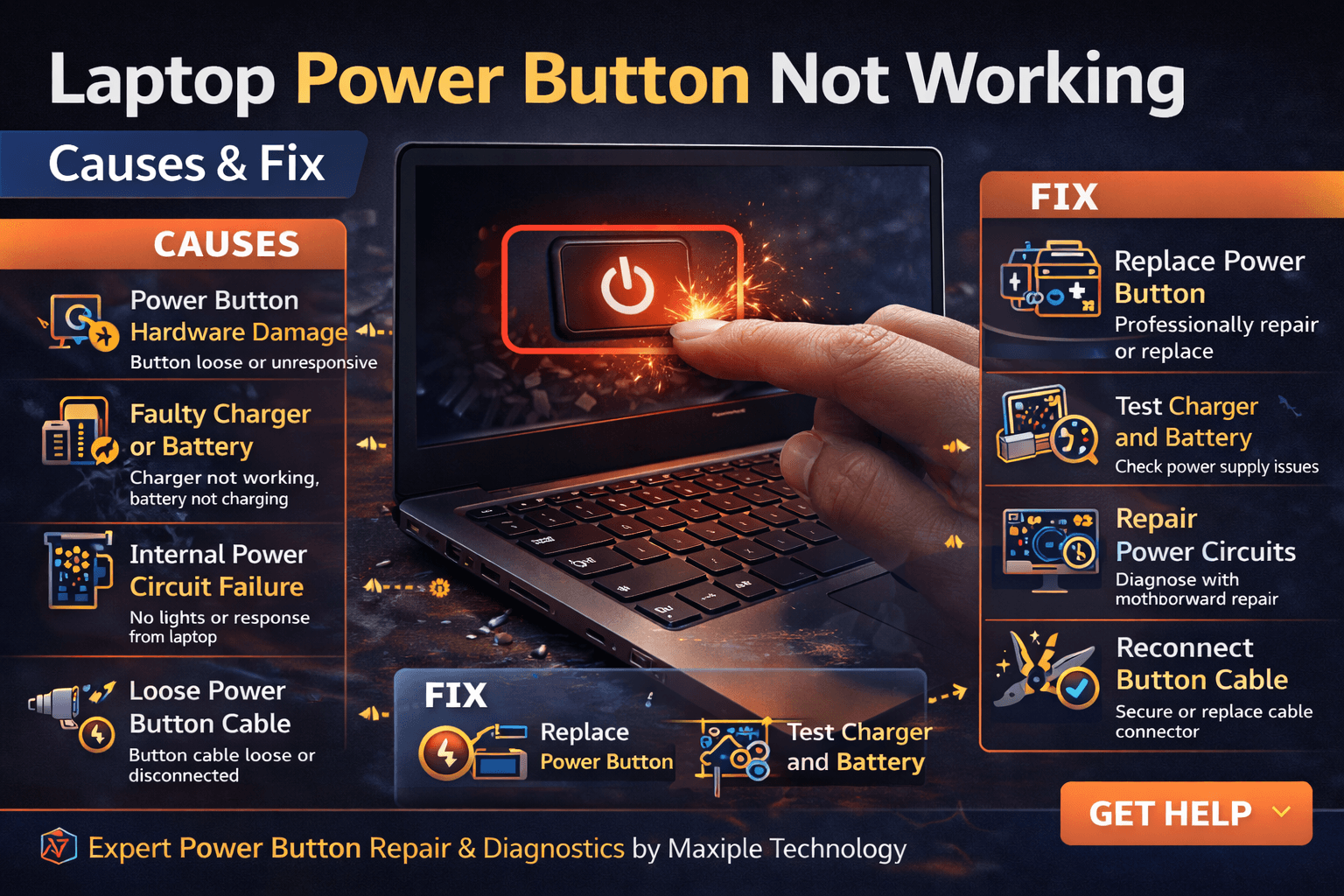
The power button is one of the most critical components of a laptop because it allows the system to start and shut down properly. When it stops responding, users may assume that the laptop is completely dead. However, the laptop power button not working – causes & fix problem can occur due to several hardware or power-related issues.
Sometimes the problem may be as simple as a power supply issue, while in other cases it may involve internal components such as the motherboard power circuit or the button module itself. Understanding the laptop power button not working – causes & fix helps users identify the real cause and apply the right solution.
Common Causes of Laptop Power Button Not Working
Power Button Hardware Damage
Signs
A damaged or worn-out power button is one of the most common reasons behind the laptop power button not working – causes & fix problem. Signs usually include a loose button, a button that does not click properly, or the laptop only responding when the button is pressed multiple times. In some cases, the button may feel stuck or completely unresponsive.
Fix
If the power button mechanism is damaged, it typically needs repair or replacement. A technician can open the laptop and replace the faulty button module or repair the internal switch. This restores the normal startup function of the laptop.
Faulty Charger or Battery
Signs
Sometimes the laptop may appear to have a laptop power button not working – causes & fix issue even though the actual problem is related to the battery or charger. Signs include the charging indicator not lighting up, the laptop not showing any response when connected to power, or the battery failing to hold charge.
Fix
Testing the charger and battery is the best first step. Try connecting another compatible charger or removing and reconnecting the battery if it is removable. If the laptop powers on with a different charger, the problem is likely with the adapter rather than the power button.
Internal Power Circuit Failure
Signs
Motherboard power circuits control how electricity flows through the laptop. If these circuits fail, the system may not respond when the power button is pressed. Signs of this issue include the laptop not showing any lights, not charging, or failing to start completely.
Fix
Power circuit failures require professional motherboard diagnostics. Skilled technicians can repair damaged power IC components or other motherboard elements that control power flow.
At Maxiple Technology, technicians perform advanced motherboard diagnostics to fix power-related issues. You can explore repair services here:
https://maxipleitservices.com/
Loose Power Button Cable
Signs
In many laptops, the power button connects to the motherboard using a small ribbon cable. If this cable becomes loose or damaged, the system may not detect the power button press. Signs include the laptop turning on only occasionally or responding when pressure is applied around the button area.
Fix
The solution usually involves opening the laptop and reconnecting or replacing the ribbon cable that connects the power button to the motherboard. Once properly connected, the laptop should start normally again.
Static Electricity or Power Residue
Signs
Static electricity buildup inside the laptop can sometimes prevent it from powering on. This may occur after sudden shutdowns, power surges, or extended periods without proper discharge. The laptop may appear completely unresponsive even though there is no hardware damage.
Fix
Performing a power reset can resolve this issue. Disconnect the charger, remove the battery if possible, and press and hold the power button for around 20–30 seconds. This drains residual electricity from the system and resets the internal circuits.
Professional Laptop Power Button Repair Services
If the laptop power button not working – causes & fix issue persists after basic troubleshooting, the problem may involve deeper hardware components such as motherboard circuits or damaged switches.
Maxiple Technology offers professional laptop repair services including:
Laptop power button repair
Motherboard power circuit repair
Charging port repair
MacBook and Windows laptop repair
Advanced diagnostics and component-level repair
You can also check customer reviews here:
https://share.google/CjaTyEXpJX72nL6LX
Professional technicians can quickly identify the root cause and restore your laptop’s functionality.
Conclusion
The laptop power button not working – causes & fix issue can be caused by hardware damage, power supply problems, motherboard faults, or internal cable issues. While some issues can be fixed through simple troubleshooting, others may require professional repair.
Understanding the laptop power button not working – causes & fix helps users diagnose the problem quickly and take the right action to restore their device.