Understanding the Laptop Not Detecting Hard Drive Issue
The hard drive or SSD is one of the most critical components of a laptop because it stores the operating system, software, and personal files. When the system fails to detect the storage drive, users may experience boot errors or the laptop may display messages such as “No Boot Device Found.”
The laptop not detecting hard drive – causes & solutions issue can occur due to loose hardware connections, BIOS configuration problems, drive failure, or corrupted system files. Understanding the laptop not detecting hard drive – causes & solutions helps users identify whether the issue is software-related or caused by hardware damage.
Common Causes of Laptop Not Detecting Hard Drive
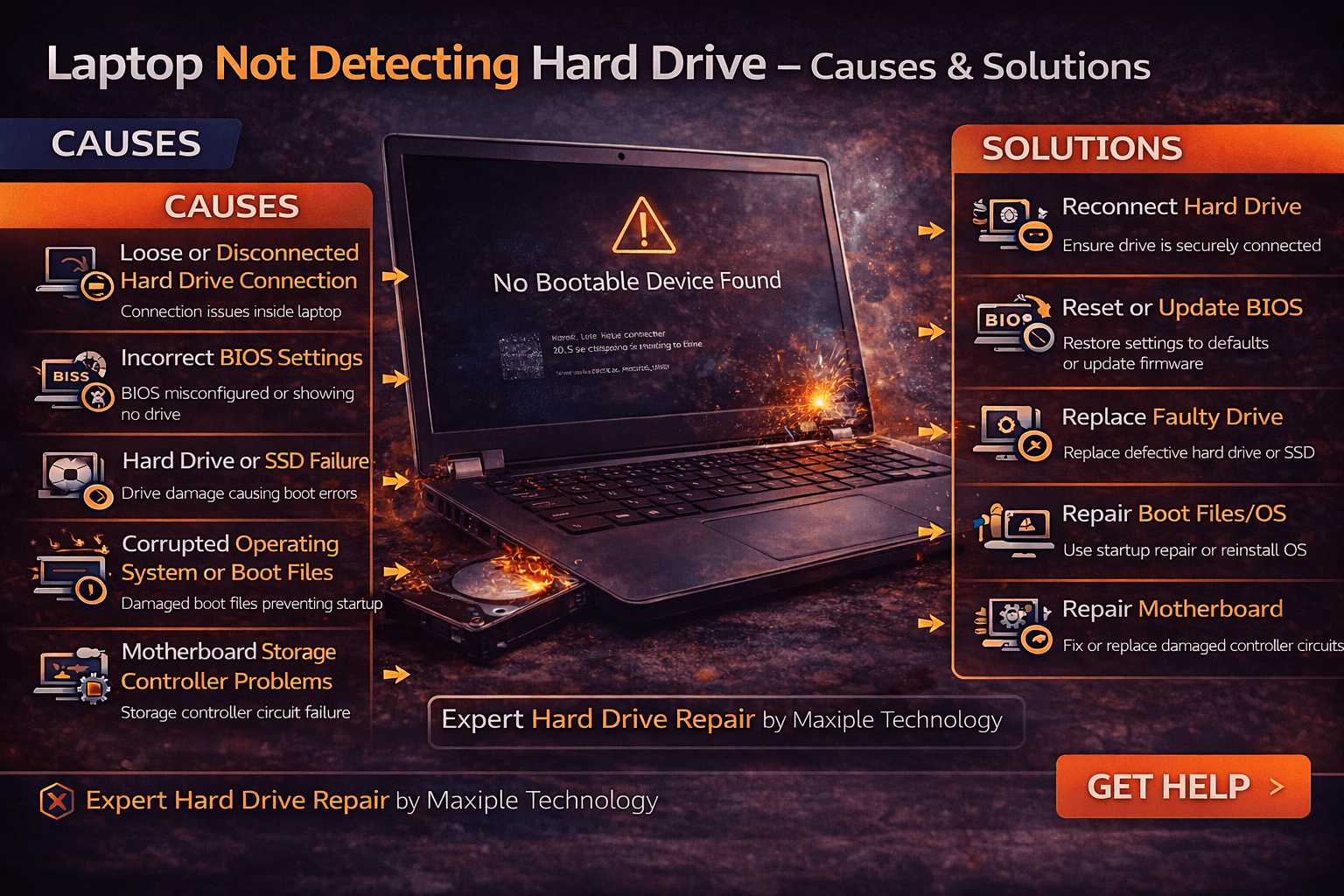
Loose or Disconnected Hard Drive Connection
Signs
One of the most common reasons behind the laptop not detecting hard drive – causes & solutions problem is a loose connection between the hard drive and the motherboard. This may occur after accidental drops or internal hardware movement. Users may notice boot errors, the operating system failing to load, or the drive not appearing in BIOS.
Fix
Reconnecting the hard drive properly can often solve this issue. A technician may open the laptop and ensure that the storage drive cable or connector is securely attached.
Incorrect BIOS Settings
Signs
BIOS controls how the laptop detects hardware components. If storage settings are changed or corrupted, the laptop may fail to detect the drive. In this laptop not detecting hard drive – causes & solutions situation, users may notice that the drive is missing from the BIOS menu.
Fix
Resetting BIOS settings to default can restore proper hardware detection. Updating BIOS firmware may also resolve compatibility issues.
Hard Drive or SSD Failure
Signs
Storage drives wear out over time, especially traditional hard drives with moving parts. When the drive begins to fail, the laptop may not detect it properly. Signs of this laptop not detecting hard drive – causes & solutions issue include slow system performance, unusual clicking noises from the drive, or frequent system crashes.
Fix
Running drive diagnostic tools can help confirm hardware failure. If the drive is damaged, replacing it with a new hard drive or SSD is usually required.
Corrupted Operating System or Boot Files
Signs
Sometimes the storage drive is functioning normally but the system cannot load the operating system due to corrupted boot files. This may create the laptop not detecting hard drive – causes & solutions issue where the laptop displays boot errors even though the drive is physically present.
Fix
Repairing the operating system using startup repair tools or reinstalling the OS can restore normal boot functionality.
At Maxiple Technology, technicians diagnose storage issues and repair boot problems using professional diagnostic tools. You can explore repair services here:
https://maxipleitservices.com/
Motherboard Storage Controller Problems
Signs
In rare cases, the laptop’s motherboard storage controller may fail to detect connected drives. When this happens, the system may not recognize any storage device at all. This is another possible laptop not detecting hard drive – causes & solutions scenario.
Fix
Repairing motherboard components or replacing damaged circuits may be necessary to restore storage detection.
Professional Laptop Hard Drive Repair Services
If troubleshooting steps do not resolve the laptop not detecting hard drive – causes & solutions problem, the issue may involve deeper hardware faults.
Maxiple Technology provides expert laptop repair services including:
Hard drive and SSD replacement
Boot error repair
Data recovery services
Motherboard storage circuit repair
MacBook and Windows laptop repair
You can also check customer reviews here:
https://share.google/CjaTyEXpJX72nL6LX
Professional technicians can diagnose storage problems and restore laptop functionality safely.
Conclusion
The laptop not detecting hard drive – causes & solutions issue can occur due to loose connections, BIOS configuration errors, drive failure, corrupted system files, or motherboard faults.
While some problems can be fixed through basic troubleshooting, others may require professional repair services. Understanding the laptop not detecting hard drive – causes & solutions helps users identify storage problems early and prevent data loss.