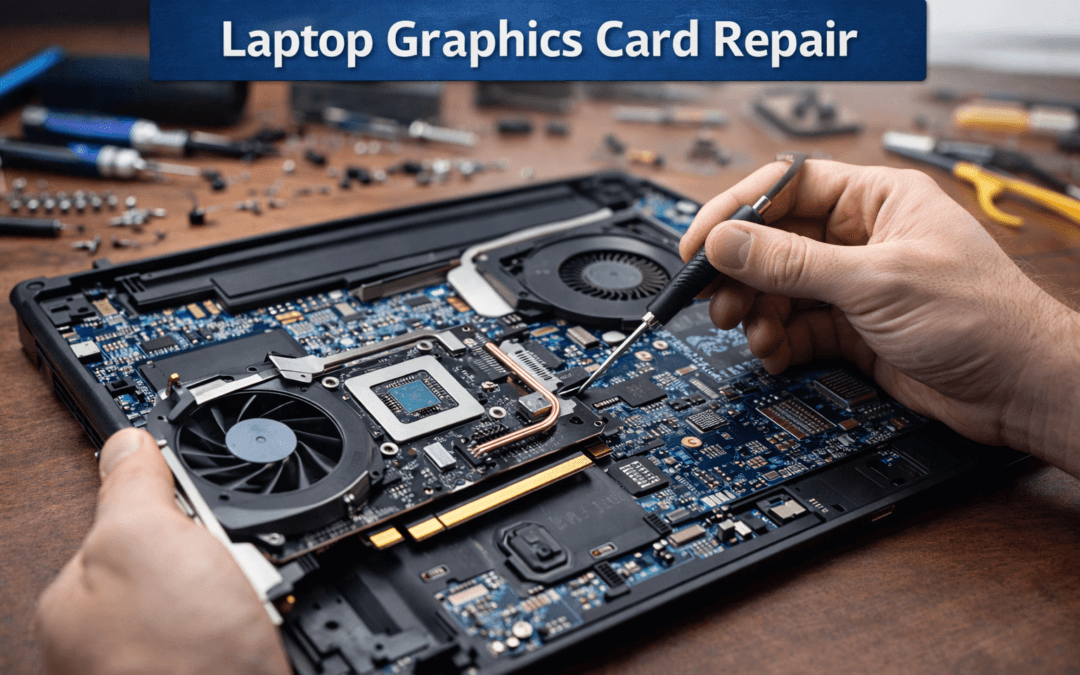
A malfunctioning graphics card can cause serious display issues, lag during gaming, and overall poor laptop performance. Timely Laptop Graphics Card Repair is essential to maintain smooth operation and prevent further damage to the motherboard and other components. Many users overlook early warning signs such as screen glitches, artifacts, and random crashes, which often escalate to complete GPU failure.
At https://maxipleitservices.com/, we specialize in professional laptop graphics card diagnostics and repairs for all major brands. Our certified technicians ensure accurate repair, compatibility, and lasting performance. For expert assistance and convenient doorstep service, you can call 8882841303 to schedule your laptop repair today. Early intervention saves money and prolongs the life of your device while restoring optimal display and graphics performance.
Understanding Issues
Laptop graphics cards, whether integrated or dedicated, are critical for rendering visuals and supporting software performance. When the GPU malfunctions, it affects video playback, gaming, and even general computing tasks.
Common GPU Symptoms
Artifacts, screen flickering, and unexpected shutdowns are typical signs. Identifying these issues early can prevent more extensive motherboard or display damage.
Why Timely Repair Matters
Delaying repair increases heat stress on other components, potentially damaging RAM, CPU, or storage drives. Professional mitigates these risks efficiently.
Causes of Graphics Card Failure in Laptops
Graphics card issues can arise from multiple factors, often related to usage, environmental conditions, or hardware defects.
Overheating and Poor Ventilation
Excessive heat from blocked vents or dust accumulation can cause GPU malfunction. Continuous high temperatures accelerate component wear and reduce lifespan.
Hardware Aging and Wear
Long-term usage and thermal cycling wear out solder joints and connectors. This can lead to intermittent failures or complete GPU malfunction.
Physical Damage and Liquid Spills
Drops, impacts, or liquid spills often compromise GPU circuits. In such cases, professional repair or replacement is necessary to prevent cascading damage.
Graphics Card Repair Process
Professional Laptop Graphics Card Repair ensures safety, compatibility, and optimal performance. At Maxiple IT Services, our technicians follow a structured repair process.
Step 1: Diagnosis and Testing
The laptop is inspected using specialized diagnostic tools to identify GPU faults. Both visual artifacts and performance metrics are checked.
Step 2: Component Repair or Replacement
Depending on the issue, the GPU is either repaired, re-soldered, or replaced with a compatible unit. This prevents future failures and ensures stable operation.
Step 3: Post-Repair Testing
After repair, the laptop undergoes rigorous testing under load and idle conditions. Temperature, frame rendering, and display stability are verified before returning the device.
Software and Driver Optimization
Repairing the hardware alone is not sufficient. Software optimization is key to maintaining GPU performance.
Driver Updates and Configuration
Outdated or corrupted drivers can mimic hardware faults. Correct installation and configuration of drivers restore optimal graphics performance.
System Monitoring and Thermal Management
Regular monitoring of GPU temperatures and fan speeds ensures long-term stability. Preventive software maintenance reduces overheating and prolongs component life.
Cost Considerations for Laptop Graphics Card Repair
The cost of varies based on brand, GPU type, and repair complexity.
Factors Affecting Price
Dedicated GPUs, gaming laptops, or high-end workstations often require specialized replacement parts. Labor intensity and component availability also influence the overall cost.
Value of Professional Service
DIY attempts may worsen damage or void warranty. Expert repair from https://maxipleitservices.com/ provides long-term reliability and protects your investment.
Preventive Tips After Graphics Card Repair
Proper care after repair extends GPU life and reduces future repair needs.
Maintain Proper Cooling
Ensure vents are clean and fans are functioning optimally. Avoid placing laptops on soft surfaces that block airflow.
Monitor Performance
Using GPU monitoring software helps detect early signs of thermal stress or abnormal behavior. Prompt action prevents recurring failures.
Why Choose Maxiple IT Services
Choosing a trusted service provider is essential for reliable Laptop Graphics Card Repair.
Certified Technicians and Quality Parts
We provide genuine or high-quality compatible GPU components. Our certified technicians follow strict repair standards to ensure safety and performance.
Fast Turnaround and Convenient Service
We offer efficient diagnostics and repair with optional doorstep pickup. Call 8882841303 to schedule service and get your laptop running like new.
Conclusion: Restore Laptop Graphics Performance
Ignoring GPU issues can lead to cascading failures affecting your entire laptop. Professional Laptop Graphics Card Repair restores display quality, ensures smooth performance, and prolongs hardware lifespan.
For expert graphics card repair, trust https://maxipleitservices.com/. Call 8882841303 today to schedule reliable laptop repair and experience seamless performance once again.