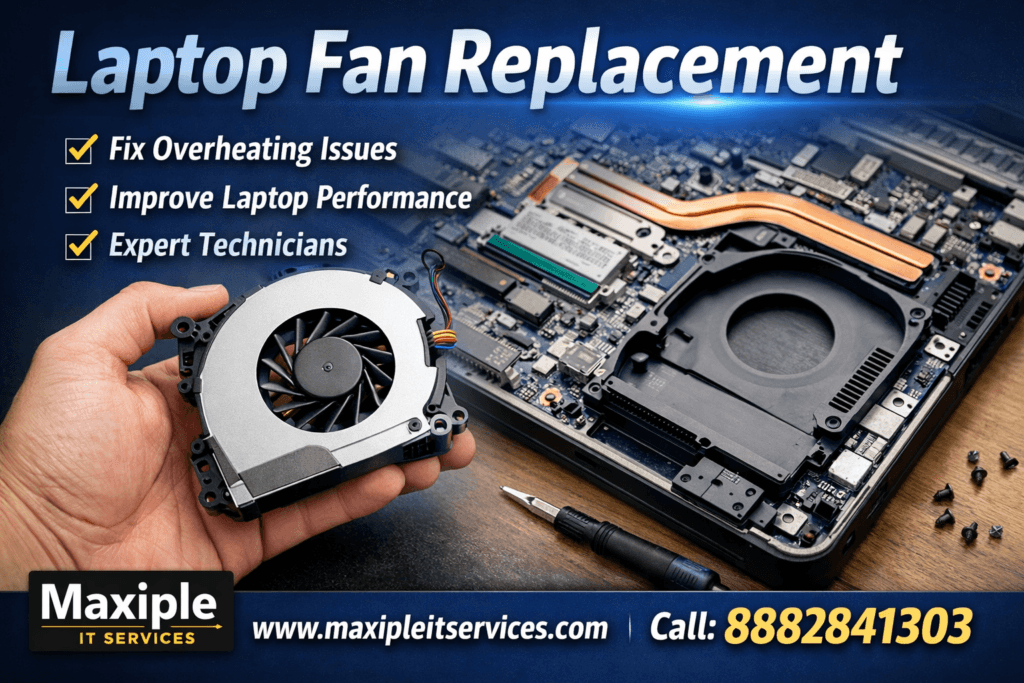
A Laptop Fan Replacement becomes necessary when your device starts overheating, making loud noises, or shutting down unexpectedly. The cooling fan plays a critical role in maintaining safe operating temperatures for internal components like the processor and motherboard. When the fan fails, heat builds up quickly and can cause serious hardware damage. Many users ignore early warning signs, which often leads to costly repairs later.
If your laptop is running hot, slowing down, or sounding unusually loud, timely Laptop Fan Replacement can restore performance and extend your device’s lifespan. At https://maxipleitservices.com/, our certified technicians provide fast, reliable cooling fan repair and replacement services. You can also call 8882841303 for expert assistance and doorstep laptop repair support.
What Is Laptop Fan Replacement and Why It Matters
Laptop Fan Replacement is the process of removing a faulty or damaged cooling fan and installing a new compatible unit. The fan is responsible for pushing hot air out of the laptop chassis. Without proper airflow, internal heat increases rapidly and affects overall system stability.
Modern laptops are designed to operate within strict temperature limits. A failing fan disrupts this balance and forces components to throttle performance. Over time, continuous overheating can permanently damage the CPU, GPU, or motherboard. This is why professional fan replacement is essential instead of temporary fixes.
How the Cooling System Works
The cooling system includes a fan, heat sink, and thermal paste. Together, they dissipate heat generated during operation. When the fan stops spinning correctly, the entire cooling process becomes ineffective.
Risks of Ignoring Fan Problems
Ignoring fan issues often leads to sudden shutdowns, data loss, and expensive motherboard repairs. Early Laptop Fan Replacement prevents these risks and keeps your laptop reliable.
Signs You Need Laptop Fan Replacement
Recognizing early symptoms helps you avoid major damage. Laptop Fan Replacement should be considered if you notice consistent overheating or unusual behavior.
Common Symptoms of Fan Failure
Loud grinding or rattling noises during use
Laptop overheating within minutes of startup
Automatic shutdowns or frequent restarts
Reduced performance due to thermal throttling
Fan not spinning or spinning intermittently
Performance Issues Caused by Fan Damage
A damaged fan forces your laptop to reduce speed to control heat. This causes lag, freezing, and poor multitasking performance. Replacing the fan restores normal airflow and efficiency.
Causes of Laptop Fan Damage
Understanding why fan issues occur helps prevent future problems. Laptop Fan Replacement is usually required due to wear or environmental factors.
Dust and Dirt Accumulation
Dust buildup blocks airflow and strains the fan motor. Over time, this causes the fan to slow down or fail completely. Regular cleaning can delay replacement but cannot fix a damaged motor.
Mechanical Wear and Tear
Laptop fans rotate at high speeds for long periods. Bearings wear out naturally, leading to noise and reduced efficiency. In such cases, replacement is the only reliable solution.
Liquid Damage and Power Issues
Spilled liquids or power fluctuations can short-circuit the fan motor. This often results in immediate failure and requires professional replacement.
Causes of Laptop Fan Damage
Understanding why fan issues occur helps prevent future problems. Laptop Fan Replacement is usually required due to wear or environmental factors.
Dust and Dirt Accumulation
Dust buildup blocks airflow and strains the fan motor. Over time, this causes the fan to slow down or fail completely. Regular cleaning can delay replacement but cannot fix a damaged motor.
Mechanical Wear and Tear
Laptop fans rotate at high speeds for long periods. Bearings wear out naturally, leading to noise and reduced efficiency. In such cases, replacement is the only reliable solution.
Liquid Damage and Power Issues
Spilled liquids or power fluctuations can short-circuit the fan motor. This often results in immediate failure and requires professional replacement.
Laptop Fan Replacement Process by Professionals
Professional Laptop Fan Replacement ensures safety and compatibility. At maxipleitservices.com, our technicians follow a structured repair process.
Step-by-Step Replacement Procedure
First, the laptop is powered off and disassembled carefully. The faulty fan is removed without damaging nearby components. A new, compatible fan is then installed and secured properly.
Testing After Replacement
After installation, the system undergoes temperature and performance testing. This ensures the new fan operates efficiently under load and idle conditions.
Cost of Laptop Fan Replacement in India
The cost of Laptop Fan Replacement depends on laptop brand, model, and fan type. High-performance or gaming laptops may require specialized fans.
Price Range and Factors
Generally, fan replacement costs are affordable compared to motherboard repairs. Factors influencing cost include brand compatibility, labor charges, and availability of original parts.
Why Professional Service Saves Money
DIY attempts often cause accidental damage, increasing repair costs. Choosing expert service from https://maxipleitservices.com/ ensures correct installation and long-term reliability.
Why Choose Maxiple IT Services for Laptop Fan Replacement
Choosing the right service provider is crucial for effective Laptop Fan Replacement. Our team focuses on quality, transparency, and customer satisfaction.
Certified Technicians and Genuine Parts
We use high-quality replacement fans suitable for your laptop model. Our technicians are trained to handle all major brands with precision.
Fast Turnaround and Doorstep Support
We offer quick diagnostics and same-day service in many cases. Call 8882841303 to schedule convenient pickup and delivery.
Warranty and Post-Repair Support
Every Laptop Fan Replacement comes with service assurance and post-repair support. This ensures peace of mind and reliable performance.
Preventive Tips After Laptop Fan Replacement
Proper care after Laptop Fan Replacement extends the life of the new fan and prevents overheating.
Maintain Clean Ventilation
Keep air vents clean and avoid using laptops on soft surfaces. This improves airflow and reduces dust buildup.
Monitor Temperature Regularly
Use temperature monitoring software to detect early heat issues. Prompt action prevents fan strain and future replacements.
Conclusion: Restore Performance with Laptop Fan Replacement
A failing fan should never be ignored. Timely Laptop Fan Replacement protects internal components, improves performance, and extends laptop life. Whether your device is overheating or making noise, professional replacement is the safest solution.
For expert Laptop Fan Replacement, trust https://maxipleitservices.com/. Call 8882841303 today to book reliable laptop repair service and keep your system running cool and smooth.