Losing access to important files because of a failed device can feel overwhelming and stressful. Many users panic when their system stops responding, especially if critical documents, photos, or business records are stored inside. Dead laptop data recovery becomes essential when your device refuses to turn on or crashes unexpectedly. Instead of assuming everything is lost, you should understand that professional solutions are available. With proper tools and expert handling, most storage drives can still be accessed safely. In this guide, we explain practical steps, risks, and professional options for dead laptop data recovery to help you retrieve your valuable information securely and efficiently.
What Causes Laptop Failure and Data Loss?
Before starting dead laptop data recovery, it is important to understand why laptops stop working. Identifying the cause helps determine the safest recovery method.
A laptop may fail because of motherboard damage, power supply issues, or severe overheating. Physical damage from drops or liquid spills can also affect internal components. In some cases, the operating system crashes due to malware or corrupted system files.
Hard drive or SSD failure is another common reason behind inaccessible data. Mechanical drives may develop bad sectors over time. Solid-state drives may fail due to firmware corruption or electrical surges.
Understanding the root cause ensures that dead laptop data recovery is handled correctly without worsening the damage.
Hardware Failure Issues
Hardware-related failures often prevent the device from powering on completely. A damaged motherboard or faulty RAM may block normal startup. However, the storage drive may still contain intact data.
In such cases, professionals remove the drive carefully and connect it externally. This method allows safe access without repairing the entire laptop.
Software and System Crash Problems
Sometimes the laptop appears dead because of operating system corruption. The device may power on but fail to boot properly. This situation still qualifies for dead laptop data recovery, especially when files remain stored safely inside the drive.
Bootable recovery tools can sometimes restore access without hardware removal.
Safe DIY Methods for
If your laptop does not turn on but shows no physical damage, you may attempt basic troubleshooting. However, you must proceed carefully to avoid permanent loss.
Start by removing the battery and holding the power button for several seconds. This process discharges residual electricity and sometimes restores startup functionality. If that fails, check the charger and power cable for faults.
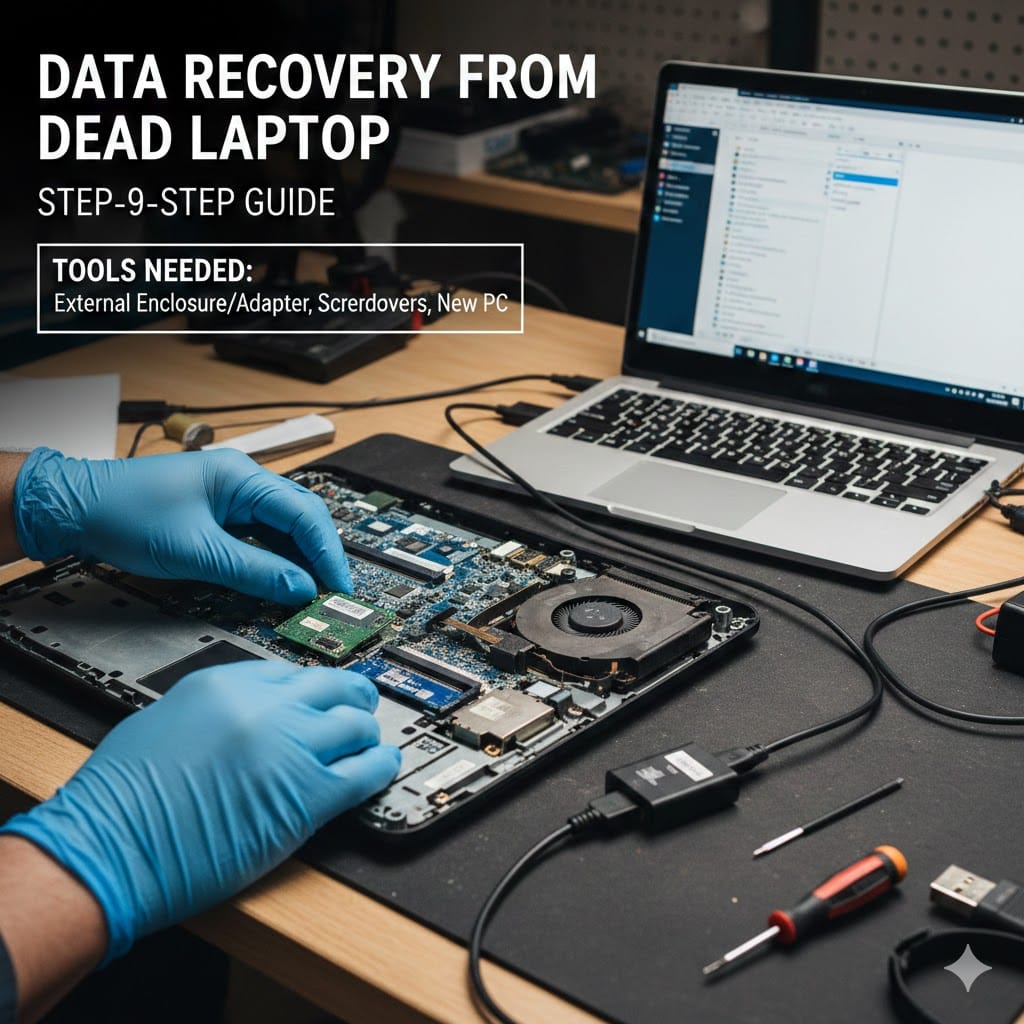
For users comfortable with hardware handling, removing the hard drive is another option. You can use a SATA-to-USB adapter to connect the drive to another computer. This approach often works in dead laptop data recovery cases caused by motherboard failure.
Using an External Enclosure
An external hard drive enclosure allows you to convert the internal drive into a portable device. After installing the drive into the enclosure, connect it to a working computer. If the drive is healthy, your files should appear normally.
This method is cost-effective and widely used for dead laptop data recovery when the storage disk remains undamaged.
Trying Data Recovery Software
If the drive connects but files seem missing, professional-grade recovery software may help. Choose reliable programs that support both HDD and SSD formats.
Avoid installing recovery software on the affected drive itself. Always install it on another device to prevent overwriting recoverable data.
When to Choose Professional
While DIY solutions work in some situations, they are not suitable for severe damage. Professional dead laptop data recovery services become necessary when drives produce unusual noises or remain undetected.
Clicking sounds from a hard drive indicate mechanical failure. Continuing to power such drives can permanently destroy stored data. Certified technicians use cleanroom environments to repair internal components safely.
Liquid damage also requires professional handling. Corrosion spreads quickly across circuits and may destroy storage chips. Immediate expert attention increases recovery success rates significantly.
Benefits of Professional
Professional labs use advanced tools unavailable to general users. They perform sector-level imaging to protect original data before attempting restoration. This process ensures that no additional damage occurs during recovery.
Technicians also provide secure handling for sensitive business information. For companies and professionals, this level of protection is essential.
If you are searching for trusted assistance, visit https://maxipleitservices.com/ or call 8882841303 for reliable dead laptop data recovery support.
Step-by-Step Professional Process
Understanding the professional workflow helps you feel more confident about the recovery process. Experts follow systematic procedures to ensure safety and efficiency.
First, technicians perform a complete diagnostic assessment. They determine whether the issue involves hardware failure, software corruption, or storage damage. This evaluation guides the most appropriate dead laptop data recovery strategy.
Next, the storage drive undergoes imaging. Instead of working directly on the original disk, experts create an exact digital clone. All recovery attempts occur on this duplicate copy.
Drive Repair and Data Extraction
If mechanical components are damaged, technicians replace faulty parts in controlled environments. For SSD failures, firmware-level repairs may be necessary.
After stabilizing the drive, specialists extract recoverable files carefully. They organize retrieved data and verify file integrity before delivering it to the client.
Data Verification and Delivery
Before returning your files, professionals test recovered documents, photos, and videos thoroughly. They ensure that data opens properly and remains complete.
Recovered information is usually transferred to a new external drive. This approach prevents further risk from using the damaged device again.
How to Prevent Future Data Loss
Although dead laptop data recovery services are highly effective, prevention remains the best strategy. Regular backups protect you from sudden hardware failures.
Use cloud storage services to store important files automatically. External hard drives also provide reliable backup solutions for personal and business users.
Avoid exposing laptops to extreme heat, moisture, or unstable power sources. Using surge protectors can prevent electrical damage to internal components.
Schedule Regular Maintenance
Routine maintenance reduces the risk of unexpected failures. Cleaning internal fans prevents overheating and extends hardware lifespan. Software updates also improve system stability and security.
By combining preventive care with backups, you reduce the need for emergency dead laptop data recovery services in the future.
Why Choose Maxiple IT Services for
Choosing the right service provider makes a significant difference in recovery success. Experience, equipment quality, and technical expertise determine final results.
At Maxiple IT Services, technicians handle complex dead laptop data recovery cases with precision and confidentiality. Whether the issue involves physical damage or logical corruption, expert support ensures maximum data retrieval.
The team provides quick diagnostics and transparent communication throughout the process. Customers receive clear explanations and secure handling of sensitive files.
For immediate assistance, visit https://maxipleitservices.com/ or call 8882841303 today. Professional help can restore your valuable data safely and efficiently.