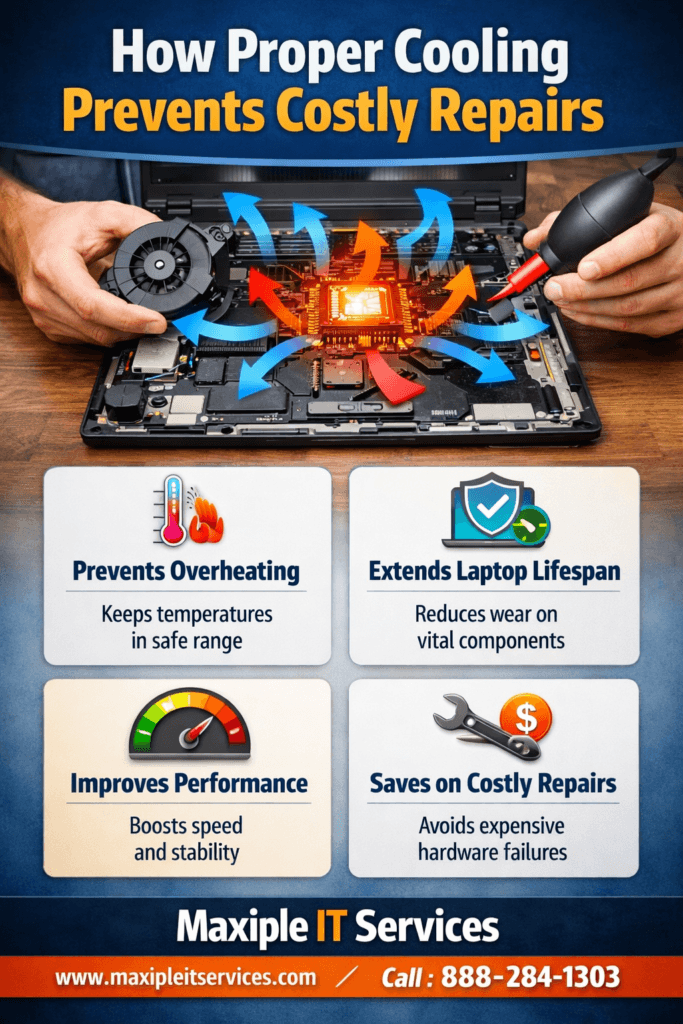
Laptops are powerful machines, but heat is their biggest enemy. Many users ignore cooling issues until serious damage occurs. Laptop cooling plays a crucial role in keeping internal components safe and functional for years. When heat builds up inside a laptop, it slowly damages the processor, motherboard, battery, and storage devices. This damage often results in sudden shutdowns, system crashes, or complete hardware failure.
Most expensive laptop repairs are caused by prolonged overheating that could have been avoided with proper care. Dust buildup, blocked vents, and failing cooling fans are common problems. Regular laptop cooling improves performance, reduces repair costs, and extends device lifespan. At Maxiple IT Services, we frequently see laptops that fail simply because cooling was neglected. With the right habits and professional servicing, users can prevent major breakdowns and unnecessary expenses.
For expert laptop servicing, visit https://maxipleitservices.com/ or call 8882841303.
Why Laptop Cooling Is Essential for Hardware Safety
Heat is a silent killer for electronic components. Every laptop generates heat while operating, especially during heavy workloads. Without effective cooling, this heat accumulates and damages sensitive internal parts.
Laptop cooling ensures that airflow remains unobstructed and internal temperatures stay within safe limits. Processors automatically throttle performance when overheating, leading to noticeable slowdowns. Over time, constant overheating weakens solder joints on the motherboard, causing permanent failures.
Neglecting cooling also shortens battery life significantly. Excessive heat accelerates battery degradation and swelling issues. Regular maintenance protects all internal components and prevents sudden hardware failures that require costly replacements.
How Internal Heat Affects Critical Laptop Components
The CPU and GPU are the most heat-sensitive parts inside a laptop. When cooling fails, these components operate beyond safe temperatures. This causes micro-damage that accumulates over time.
Motherboards are also at risk because heat weakens circuits and connectors. Laptop cooling reduces thermal stress and helps components operate at optimal efficiency. Proper heat control is essential for long-term laptop reliability.
Common Causes of Poor Laptop Cooling Performance
Understanding why laptops overheat helps users take preventive steps early. Most cooling problems develop gradually and remain unnoticed until damage occurs.
Dust accumulation is the leading cause of overheating. Dust blocks vents and clogs cooling fans, restricting airflow. Poor placement, such as using laptops on beds or sofas, also blocks air intake.
Aging thermal paste is another major issue. Thermal paste transfers heat from the processor to the heat sink. Over time, it dries out and becomes ineffective. Laptop cooling includes replacing thermal paste to restore proper heat transfer.
Signs Your Laptop Cooling System Is Failing
Loud fan noise indicates that the system is struggling to manage heat. Frequent overheating warnings or sudden shutdowns are serious signs.
If the laptop feels unusually hot near the keyboard or vents, cooling efficiency has dropped. Reduced performance during normal tasks is another warning. Timely laptop cooling prevents these symptoms from escalating into hardware damage.
Laptop Cooling Prevents Expensive Repairs
Ignoring heat-related issues often leads to costly repairs. Overheating damages components that are expensive to replace, such as motherboards and processors.
Motherboard replacement can cost almost as much as a new laptop. Many of these failures occur due to long-term overheating. Laptop cooling significantly reduces the risk of motherboard damage by maintaining stable temperatures.
Hard drives and SSDs are also affected by excessive heat. Heat reduces storage lifespan and increases the risk of data loss. Regular cooling care protects both hardware and valuable data.
Repair Costs Caused by Overheating Problems
Cooling fan replacement is relatively affordable when done early. However, delayed action leads to cascading failures. Battery replacement, motherboard repairs, and processor damage increase repair bills dramatically.
Preventive laptop cooling costs far less than major component replacements. Small investments in maintenance save users from large repair expenses later.
How Laptop Cooling Improves Performance
Cooling does not just protect hardware; it also enhances performance. Overheated laptops automatically slow down to prevent damage. This reduces productivity and user experience.
When temperatures remain stable, the processor runs at full speed consistently. Applications load faster, and multitasking becomes smoother. Laptop cooling ensures optimal airflow and thermal efficiency.
Gamers, designers, and professionals benefit significantly from proper cooling. High-performance tasks generate more heat, making maintenance even more important. Efficient cooling allows laptops to handle demanding workloads without throttling.
Cooling and System Stability Benefits
Stable temperatures reduce system crashes and unexpected shutdowns. Overheating often causes system instability during critical tasks.
With proper laptop cooling laptops operate smoothly for longer periods. This reliability is essential for professional and academic users who depend on consistent performance.
Best Practices for Laptop Cooling at Home
Users can follow simple habits to maintain cooling efficiency between professional services. These steps help reduce dust buildup and airflow blockage.
Always place laptops on flat, hard surfaces. This keeps vents open and allows proper air circulation. Clean external vents regularly using compressed air.
Avoid using laptops in hot environments for long durations. High ambient temperatures increase internal heat levels. Laptop cooling includes keeping the laptop environment cool and well-ventilated.
When Home Maintenance Is Not Enough
While basic cleaning helps, internal dust cannot be removed without opening the laptop. Thermal paste replacement also requires professional handling.
Periodic professional laptop cooling ensures deep cleaning and proper component care. This prevents long-term damage that home methods cannot address.
Professional Laptop Cooling Services Matter
Professional servicing goes beyond surface cleaning. Technicians disassemble the laptop safely and clean internal components thoroughly.
They inspect cooling fans, heat sinks, and vents for damage or wear. Thermal paste is replaced using high-quality materials. Laptop cooling performed professionally restores original cooling efficiency.
At Maxiple IT Services, trained experts use specialized tools to diagnose and resolve overheating issues. Proper servicing extends laptop life and prevents repeat problems.
Why Choose Expert Technicians for Cooling Issues
Improper DIY repairs can cause more harm than good. Incorrect reassembly or damaged connectors increase repair risks.
Professional laptop cooling ensures safety, accuracy, and long-lasting results. Expert handling protects delicate internal components during servicing.
How Often Should Laptop Cooling Be Done?
Maintenance frequency depends on usage and environment. Laptops used daily or in dusty environments require more frequent care.
For average users, professional laptop cooling is recommended every 6 to 12 months. Heavy users, such as gamers, should consider servicing every 6 months.
Regular maintenance prevents gradual heat buildup and avoids sudden failures. Consistency is key to long-term laptop health.
Environmental Factors Affecting Cooling Needs
Dusty locations and high humidity accelerate cooling system clogging. Pet hair also contributes to airflow blockage.
Users in such environments should prioritize laptop cooling to avoid overheating-related repairs.
Long-Term Benefits of Laptop Cooling Maintenance
Proper cooling extends laptop lifespan significantly. Devices that receive regular maintenance often last several years longer.
Reduced repair frequency saves money over time. Users also enjoy better performance and reliability throughout the laptop’s life.
Laptop cooling protects investments and ensures maximum value from the device. Preventive care is always more cost-effective than reactive repairs.
Protect Your Laptop with Regular Cooling Care
Overheating damage is often irreversible. Preventing it is the smartest approach.
For reliable laptop cooling contact Maxiple IT Services today. Visit https://maxipleitservices.com/ or call 8882841303 for expert assistance.