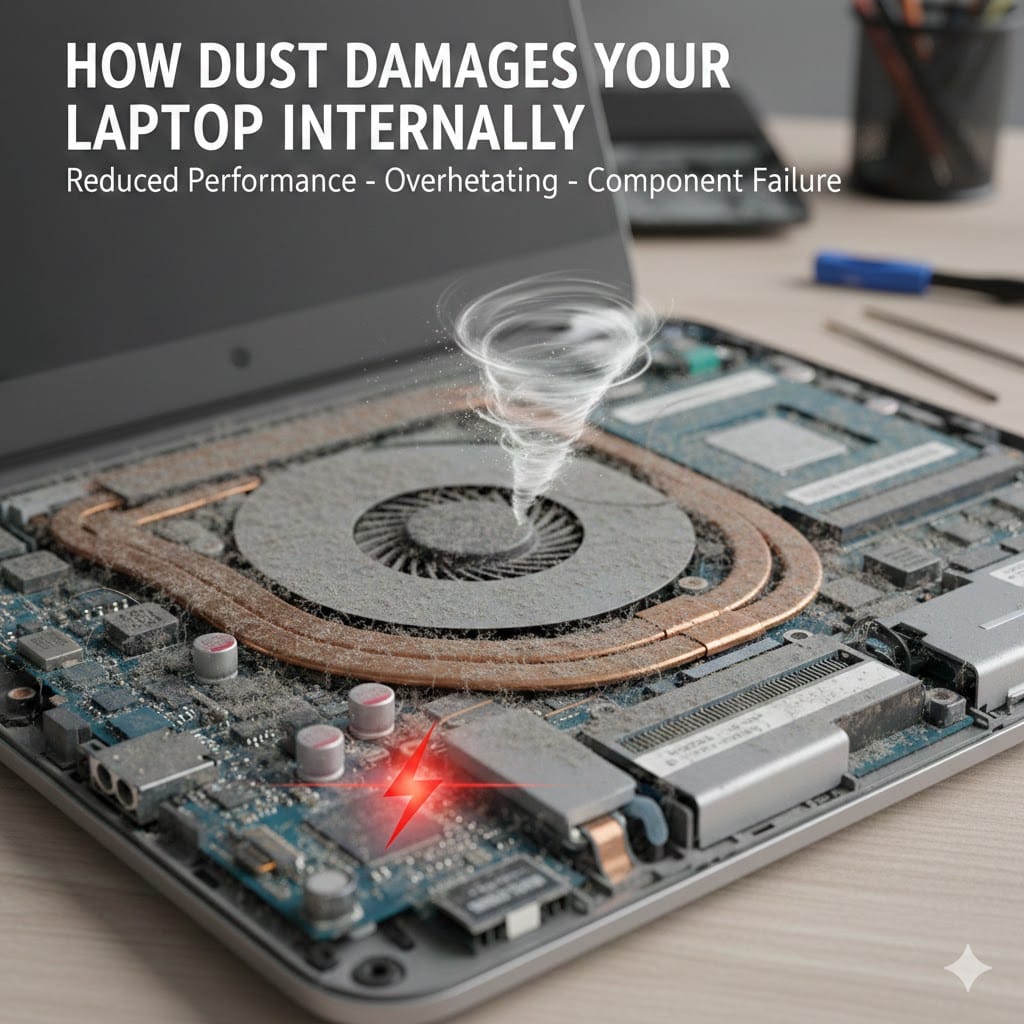
Laptops are essential tools for work, study, and entertainment, but many users ignore a silent threat hiding inside their devices. Laptop dust damage is one of the most common yet overlooked causes of hardware failure. Tiny dust particles slowly accumulate inside the cooling system, fan vents, and internal components. Over time, this buildup affects performance, increases temperature, and reduces your laptop’s lifespan. Many expensive repairs actually begin with simple laptop dust damage that was never cleaned properly. Understanding how dust harms internal parts can help you prevent breakdowns, data loss, and costly replacements. In this guide, we will explain the hidden effects of dust, warning signs to watch for, and how professional cleaning can protect your device from serious internal problems.
What Is Laptop Dust Damage and Why It Happens
Laptop dust damage occurs when airborne particles enter your laptop through cooling vents and settle on internal components. Every time the cooling fan pulls air inside, it also brings microscopic dust particles. These particles stick to the fan blades, heat sink, motherboard, and memory modules.
Homes, offices, and workshops naturally contain dust from fabric fibers, dirt, and pollutants. If you use your laptop on beds, sofas, or dusty desks, the risk increases significantly. Over time, dust layers become thick enough to block airflow and trap heat inside the system.
Unlike visible external dirt, internal dust remains hidden until performance issues begin. That is why many users do not notice until overheating or sudden shutdowns occur. Regular cleaning and maintenance can significantly reduce these risks and extend your device’s lifespan.
How Laptop Dust Damage Affects Cooling System
The cooling system is the first victim of Your laptop relies on a fan and heat sink to maintain safe operating temperatures. When dust accumulates, it blocks airflow and reduces heat dissipation efficiency.
A clogged fan struggles to spin properly, increasing noise and reducing cooling performance. Dust-covered heat sinks cannot release heat effectively, causing internal temperature spikes. As temperatures rise, the processor automatically slows down to prevent permanent damage.
This process, known as thermal throttling, reduces speed and affects overall performance. Continuous overheating due to may eventually burn internal components or cause motherboard failure. Preventing dust buildup ensures your cooling system functions efficiently.
Signs of Cooling Problems Caused by
There are several warning signs that indicate cooling issues related to . If your laptop becomes unusually hot during normal use, internal dust may be blocking ventilation.
Loud fan noise is another common symptom. When dust restricts airflow, the fan works harder to compensate. Sudden shutdowns without warning often happen when the system overheats beyond safe limits.
If you notice these symptoms, immediate inspection and cleaning can prevent serious internal failures. Ignoring early signs of may lead to expensive repairs later.
Impact of Laptop Dust Damage on Internal Components
Beyond overheating, directly affects sensitive internal parts. Dust particles can settle on the motherboard and interfere with electrical connections. Over time, this contamination increases the risk of short circuits.
Memory modules and storage drives are also vulnerable to dust accumulation. When connectors gather debris, performance becomes unstable and errors may appear frequently. In severe cases, corrosion may develop due to trapped moisture combined with dust.
The processor and graphics chip operate under high temperatures. When dust blocks airflow, constant heat stress reduces their lifespan. Regular maintenance reduces the long-term impact of laptop dust damage on these critical components.
Motherboard Risks from
The motherboard connects all internal hardware components and manages system communication. Laptop dust damage can cause serious harm if dust settles between tiny circuits and solder joints.
Fine dust particles sometimes carry static electricity, increasing the risk of electrical discharge. Over time, dirt buildup can cause connection instability or complete board failure. Motherboard repair or replacement is often expensive compared to preventive cleaning.
Professional internal servicing removes debris safely and protects sensitive circuits. Addressing early helps avoid catastrophic hardware breakdowns.
Performance Issues Linked to
Many users complain about slow performance without realizing dust is the root cause. reduces cooling efficiency, which forces the processor to slow down automatically.
Applications may freeze or lag due to overheating protection mechanisms. Gaming performance often drops significantly because the graphics chip cannot maintain stable temperatures. Frequent system crashes also indicate possible thermal stress.
Battery life may decrease because the cooling fan runs constantly at higher speeds. Continuous high temperatures affect battery health and reduce charging efficiency. By eliminating your system can regain lost performance and operate smoothly again.
How to Prevent Effectively
Preventing laptop dust damage requires simple but consistent habits. Always use your laptop on flat, hard surfaces to maintain proper airflow. Avoid placing it on beds, cushions, or carpets that release fibers into the vents.
Keep your workspace clean and dust-free as much as possible. Regularly wipe external vents and keyboard areas using a soft cloth. However, external cleaning alone does not remove internal buildup.
Scheduling professional servicing once or twice a year is highly recommended. Technicians open the laptop safely and clean internal components using specialized tools. Preventive care significantly reduces the risk of severe over time.
Professional Cleaning vs DIY Cleaning
Some users attempt DIY cleaning to reduce but improper handling can cause more harm. Opening a laptop without proper tools may damage screws, cables, or connectors.
Compressed air alone often pushes dust deeper inside instead of removing it completely. Professionals dismantle the device carefully and clean each component thoroughly. They also replace thermal paste if required for better cooling performance.
Choosing expert service ensures safe removal of internal debris and prevents accidental damage. Professional maintenance remains the most reliable solution against long-term
Long-Term Consequences of Ignoring
Ignoring can lead to serious financial and technical problems. Continuous overheating weakens internal circuits and shortens component lifespan.
Frequent shutdowns may corrupt your operating system or damage important files. Data loss becomes a major risk when hardware fails unexpectedly. Repair costs increase significantly if the motherboard or processor becomes permanently damaged.
Eventually, you may be forced to replace your entire laptop prematurely. Regular servicing costs far less compared to full device replacement. Taking preventive steps against protects your investment and ensures long-term reliability.
When to Seek Professional Help for
If your laptop overheats regularly, makes loud fan noises, or shuts down suddenly, seek professional inspection immediately. These symptoms strongly indicate internal
A certified technician can diagnose cooling efficiency, inspect hardware condition, and perform safe internal cleaning. Early maintenance prevents minor issues from turning into major hardware failures.
If you are experiencing any of these problems, contact Maxiple IT Services for expert assistance. Visit https://maxipleitservices.com/ or call 8882841303 for professional laptop cleaning and repair services. Our technicians specialize in resolving and restoring optimal performance quickly and safely.
Conclusion
Dust may seem harmless, but it silently destroys internal laptop components over time. affects cooling systems, reduces performance, and increases the risk of hardware failure. Overheating, slow speed, loud fan noise, and sudden shutdowns are common warning signs.
Regular maintenance and professional cleaning prevent costly repairs and extend your device’s lifespan. Do not wait until serious internal damage occurs. Protect your investment by addressing laptop dust damage early and ensuring your laptop operates efficiently for years to come.