Accidentally deleting important documents, photos, or business data can feel overwhelming and stressful. Whether you are using Windows or macOS, data loss can happen anytime without warning. The good news is that deleted file recovery is often possible with the right steps and professional guidance. Acting quickly increases the chances of restoring your valuable information safely. If you need expert assistance, you can always contact https://maxipleitservices.com/ or call 8882841303 for reliable support.
In this detailed guide, we will explain how deleted file recovery works on both systems. You will also learn when to try DIY methods and when to seek professional repair services.
Understanding Deleted File Recovery on Windows and Mac
Before starting the recovery process, it is important to understand how file deletion actually works. When you delete a file, the system usually removes its reference rather than erasing it immediately. This means the data may still exist on your storage drive until it gets overwritten.
That is why quick action is essential for successful deleted file recovery. Continuing to use the device heavily can reduce recovery chances significantly. Avoid installing unnecessary software or saving new files until recovery is complete.
What Happens When You Delete a File?
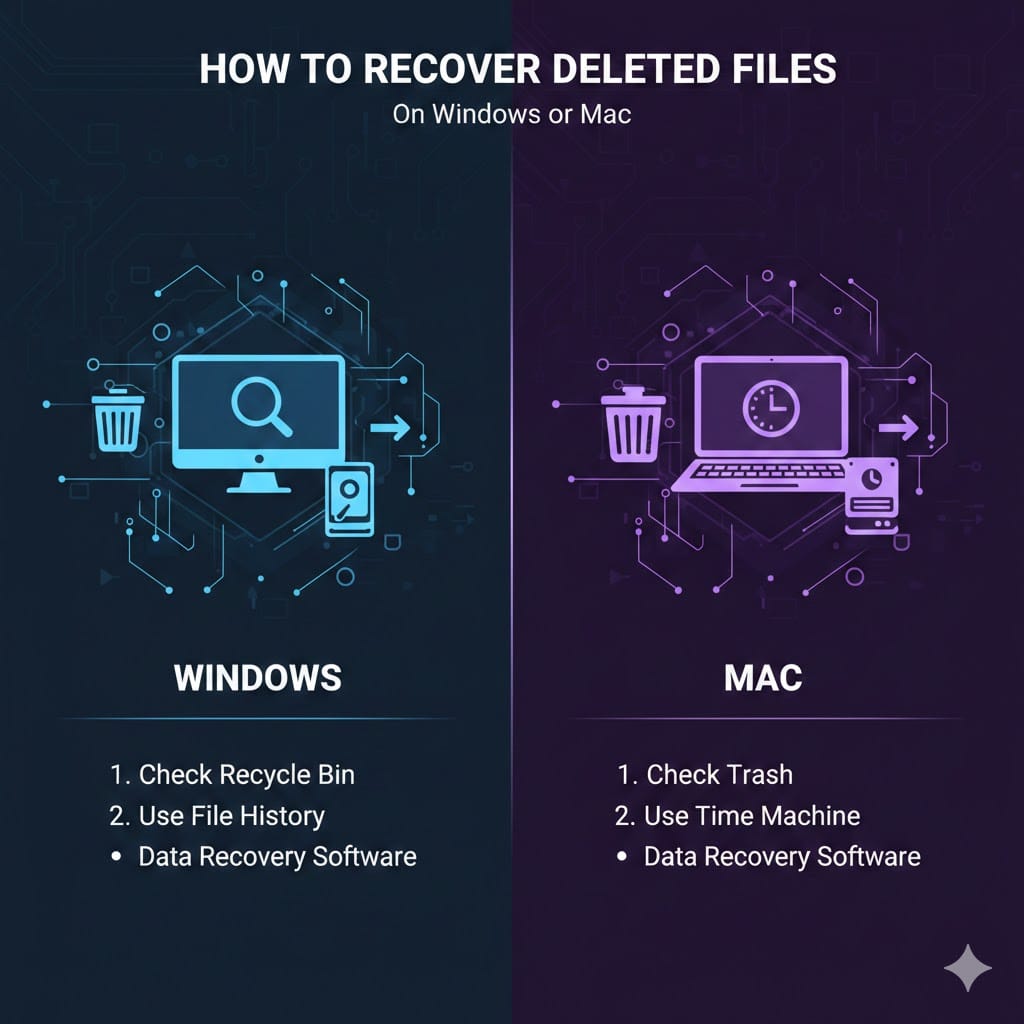
When you delete a file on Windows, it typically moves to the Recycle Bin. On Mac systems, deleted files go to the Trash folder. These folders temporarily store deleted items before permanent removal.
If you empty these folders, the files are not instantly destroyed. Instead, the storage space becomes available for new data. This technical detail makes deleted file recovery possible with proper tools and expertise.
Deleted File Recovery from Recycle Bin or Trash
The easiest method of deleted file recovery involves restoring files from temporary storage folders. This solution works if you have not permanently deleted the files yet.
On Windows, open the Recycle Bin from the desktop. Locate your file, right-click it, and select Restore. The file will return to its original location instantly.
On macOS, open the Trash from the dock. Find the deleted file, right-click, and choose Put Back. The file will be restored to its previous folder without complications.
Recovering Permanently Deleted Files
If you used Shift + Delete on Windows or emptied the Trash on Mac, recovery becomes more complex. At this stage, you may need backup systems or professional software solutions.
Windows users can check File History backups. Navigate to the folder where the file was stored, right-click, and choose Restore previous versions. This method often supports successful deleted file recovery if backups were enabled.
Mac users can use Time Machine for restoration. Open Time Machine, browse previous backups, and select the required file version. Click Restore to complete the process.
Deleted File Recovery Using Backup Solutions
Regular backups provide the safest method for effective deleted file recovery. Many users ignore backup systems until data loss occurs, which increases risk.
On Windows, File History automatically saves copies of important files when enabled. You can access older versions easily through system settings. This method ensures reliable recovery without advanced technical skills.
On macOS, Time Machine creates automatic backups when connected to an external drive. Users can scroll through previous snapshots and restore specific files quickly.
Cloud Backup Recovery Options
Cloud storage services also help in deleted file recovery. Platforms like Google Drive, OneDrive, and iCloud maintain deleted files temporarily. You can log in to your account and restore items from the trash section.
This method is especially useful for business users handling critical documents daily. Cloud recovery reduces downtime and prevents permanent data loss.
Deleted File Recovery with Professional Software
When backups are unavailable, specialized recovery software becomes necessary. These tools scan storage drives to locate recoverable data blocks.
For Windows users, professional software scans NTFS or FAT file systems efficiently. Mac users require tools compatible with APFS or HFS+ file systems.
However, installing software on the same drive may overwrite deleted data. For best deleted file recovery results, stop using the device immediately and consult experts.
When to Seek Professional Help
If your hard drive is physically damaged or making unusual noises, do not attempt DIY solutions. Professional technicians use advanced recovery equipment in controlled environments.
Businesses and individuals in need of urgent support can contact Maxiple IT Services through https://maxipleitservices.com/ or call 8882841303. Their trained specialists handle complex deleted file recovery cases safely and efficiently.
Preventing Future Data Loss
While deleted file recovery is possible in many cases, prevention remains the best strategy. Implementing strong backup practices significantly reduces risks.
Enable automatic backups on Windows or Mac devices immediately. Use both local external drives and secure cloud storage solutions for added protection.
Avoid installing unknown applications that may corrupt system files. Regular antivirus scans and system updates also protect against accidental deletion and malware attacks.
Best Practices for Safe Data Management
Organize files in clearly labeled folders for easy tracking. Avoid storing all critical documents on a single drive without backup.
Shut down your system properly to prevent file corruption. Investing in surge protectors also helps protect storage devices from sudden power failures.
If you ever experience unexpected deletion or system failure, act quickly. Professional deleted file recovery services can often restore your data successfully.
Conclusion
Accidentally losing important files does not always mean permanent data loss. With proper knowledge and quick action, deleted file recovery on Windows and Mac systems is often achievable. From checking Recycle Bin or Trash to using backup systems and professional tools, several solutions are available.
If you are unsure about handling recovery yourself, expert support ensures safe restoration without further damage. Visit https://maxipleitservices.com/ or call 8882841303 for trusted laptop and computer repair assistance. Acting quickly can make all the difference in recovering your valuable files and protecting your digital lif