Spilling water or any liquid on your laptop can cause serious internal damage within seconds. Acting quickly after an accident can significantly improve the chances of successful water damaged laptop repair. Many users panic and make costly mistakes that worsen the situation. Understanding the correct immediate steps helps protect your data and hardware components.
A professional water damaged laptop repair service can prevent permanent motherboard failure and data loss. Whether the spill involves water, coffee, tea, or juice, the damage process begins immediately. Liquid can short-circuit internal components and corrode delicate circuits. In this guide, we explain exactly what to do right away and when to seek expert help from https://maxipleitservices.com/ or call 8882841303.
Immediate Steps for Water Damaged Laptop Repair
The first few minutes after a spill are critical for successful water damaged laptop repair. Your response during this time can determine whether the laptop survives or requires major replacement. Avoid switching on the device to check if it still works. Electricity combined with moisture increases the risk of short circuits.
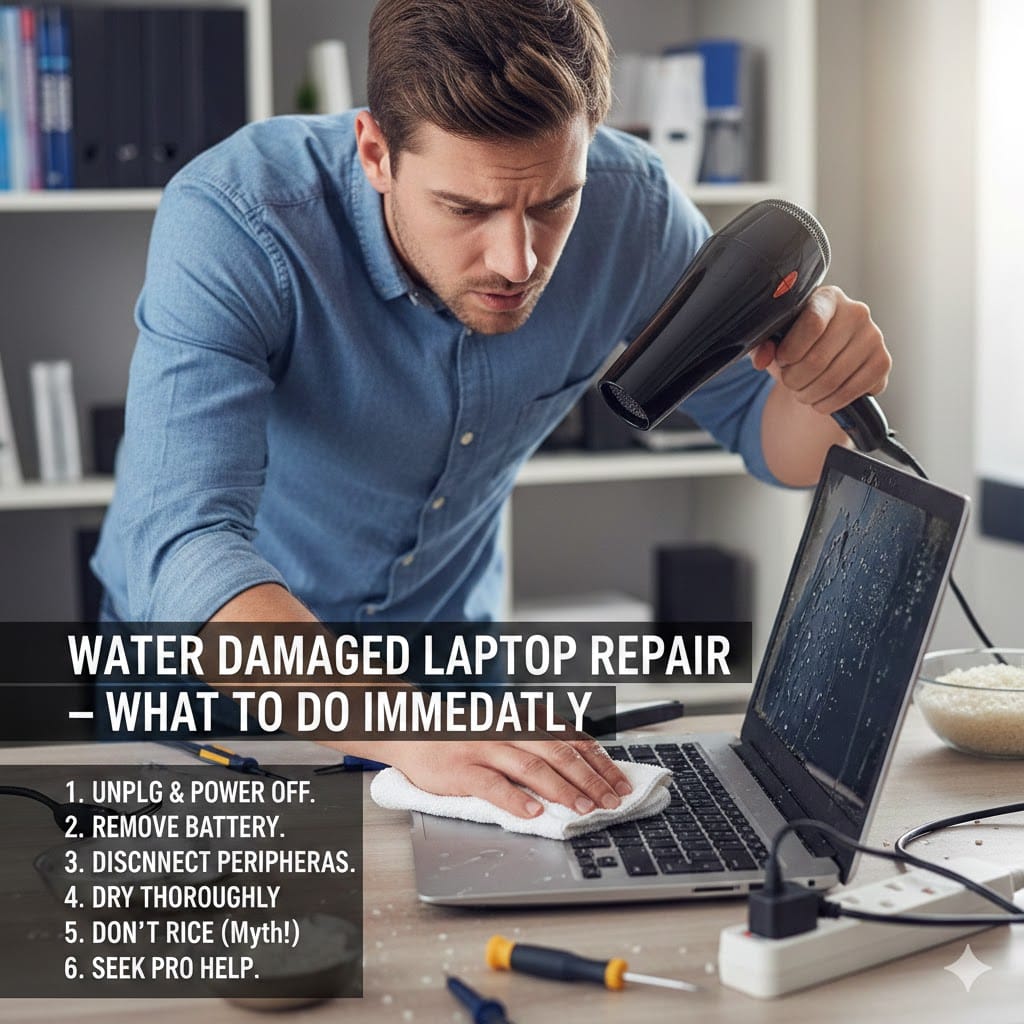
Immediately power off the laptop by holding the power button until it shuts down completely. Disconnect the charger and remove all external devices such as USB drives and headphones. If the battery is removable, take it out carefully. These steps reduce electrical flow and minimize internal damage.
Turn Off Power Immediately
Never attempt to test the laptop after a spill. Even if the screen appears functional, internal moisture may still exist. Keeping power flowing through wet circuits causes irreversible component failure. Turning off the device is the most important action in emergency water damaged laptop repair situations.
If your laptop does not power down normally, press and hold the power button for several seconds. Do not plug the charger back in under any circumstances. Professional technicians always recommend eliminating power first before any drying attempts.
Disconnect Accessories and Peripherals
Remove every connected accessory to prevent additional electrical transfer. External devices can carry moisture into ports and worsen internal corrosion. Carefully unplug the mouse, keyboard, external drives, and memory cards.
Keeping ports dry improves the success rate of professional water damaged laptop repair later. Avoid shaking the laptop aggressively, as this can spread liquid to unaffected areas.
Drying Process in Water Damaged Laptop Repair
After disconnecting power, focus on controlled drying. Proper drying techniques play a key role in successful water damaged laptop repair. However, not all drying methods are safe or effective.
Place the laptop upside down in a tent position on a flat surface. This allows gravity to help drain excess liquid away from internal components. Use a lint-free cloth to gently wipe visible moisture from the keyboard and exterior.
Avoid Using a Hair Dryer
Many people use hot air to speed up drying, but this can cause additional damage. Excess heat may warp internal plastic components and push moisture deeper inside. Hot air also spreads liquid to sensitive motherboard areas.
Instead, allow natural air circulation in a dry environment. You may use a fan at room temperature to improve airflow. Proper air drying supports safe water damaged laptop repair before professional inspection.
Do Not Use Rice as a Solution
Placing laptops in rice is a common myth. Rice absorbs surface moisture slowly and does not remove internal liquid trapped under chips. Relying on rice delays professional treatment and increases corrosion risks.
Immediate service from trained technicians offers better results than home remedies. Corrosion begins within hours, so timely water damaged laptop repair is essential.
Professional Water Damaged Laptop Repair Services
Even if the laptop appears dry externally, hidden moisture can damage the motherboard. Professional water damaged laptop repair includes complete internal disassembly and cleaning. Trained technicians use specialized tools to inspect and treat corrosion.
At https://maxipleitservices.com/, experts carefully open the device and remove internal components. They use professional cleaning solutions to eliminate mineral deposits left behind by liquid spills. This process restores circuits and prevents future electrical failures.
Internal Cleaning and Component Testing
Technicians clean the motherboard using industry-approved solutions and ultrasonic cleaning machines. This removes corrosion that cannot be seen externally. After cleaning, each component undergoes detailed diagnostic testing.
Testing ensures the processor, RAM, storage drive, and display function correctly. Proper inspection increases the success rate of long-term water damaged laptop repair.
Data Recovery After Liquid Damage
Liquid exposure often threatens important files stored on your device. Professional services prioritize data safety before performing major repairs. If the laptop does not power on, specialists remove the storage drive for recovery.
Advanced tools allow technicians to retrieve documents, photos, and business files safely. Quick water damaged laptop repair reduces the risk of permanent data loss.
Common Mistakes During Water Damaged Laptop Repair
Understanding what not to do is equally important. Many users unintentionally worsen the situation before seeking help. Avoiding these mistakes improves the outcome of professional water damaged laptop repair.
Turning the laptop upside down and shaking it violently spreads liquid to unaffected areas. Pressing random keys to check functionality also increases internal electrical damage.
Switching the Laptop Back On
Users often power the laptop on after a few hours to check performance. This is one of the biggest mistakes in water damaged laptop repair cases. Internal moisture may still exist even if the exterior feels dry.
Powering on too early causes short circuits and burns delicate components. Always allow professional inspection before reconnecting power.
Delaying Professional Assistance
Time plays a critical role in liquid damage cases. Corrosion spreads quickly across circuit boards and connectors. Delaying repair reduces the chances of full recovery.
Contacting experts immediately ensures timely water damaged laptop repair and prevents costly motherboard replacements.
Why Choose Maxiple IT Services for Water Damaged Laptop Repair
Choosing experienced professionals ensures safe and reliable results. https://maxipleitservices.com/ provides comprehensive water damaged laptop repair solutions with advanced diagnostic tools. Their technicians understand different laptop brands and liquid damage scenarios.
They offer transparent pricing and detailed repair explanations before starting work. Customers receive professional guidance to prevent future incidents. For urgent assistance, call 8882841303 and schedule immediate support.
Fast Diagnosis and Transparent Service
Quick inspection helps determine whether components are repairable or require replacement. Early diagnosis reduces downtime and avoids unnecessary expenses.
Maxiple IT Services focuses on quality workmanship and long-term reliability. Their structured water damaged laptop repair process ensures every internal part is carefully evaluated.
Preventing Future Water Damaged Laptop Repair Issues
Prevention is always better than repair. Simple precautions reduce the risk of accidental spills. Keep liquids away from your workspace and use spill-resistant bottles.
Consider using a keyboard cover for added protection. Avoid placing laptops near edges of tables where drinks can easily tip over.
Regular maintenance checks also help identify early corrosion signs. Investing in protective habits minimizes the need for emergency water damaged laptop repair services.
Conclusion
Liquid spills can cause immediate and severe internal damage to laptops. Acting quickly increases the chances of successful water damaged laptop repair and data recovery. Turning off power, disconnecting accessories, and avoiding heat are crucial first steps.
However, professional inspection remains the safest and most reliable solution. Hidden moisture and corrosion require specialized tools and expertise. If your device has suffered liquid exposure, contact https://maxipleitservices.com/ or call 8882841303 for expert assistance today.