Gaming laptops are powerful machines built for performance, but they also require proper care to last longer. If you invest in gaming laptop maintenance, you protect your device from overheating, hardware failure, and costly repairs. Many users ignore basic care routines, which leads to reduced performance and a shorter lifespan. With the right habits, you can keep your system running smoothly for years.
In this guide, we will explain practical steps that improve durability, enhance speed, and prevent damage. Whether you use your laptop for competitive gaming or content creation, proper ensures better performance and fewer breakdowns. If you need expert help, visit https://maxipleitservices.com/ or call 8882841303 for professional repair and servicing support.
Why Gaming Laptop Maintenance Is Important
High-performance gaming laptops generate significant heat during extended gaming sessions. Without proper , internal components like the CPU and GPU may overheat and degrade faster. Excess heat can damage the motherboard and reduce battery health over time.
Regular cleaning and servicing improve airflow and prevent dust buildup inside the cooling system. Properalso protects storage drives, RAM, and power circuits from unexpected failure. When you maintain your device correctly, you reduce repair costs and improve long-term reliability.
Gaming Laptop Maintenance Prevents Overheating
Overheating is one of the most common problems in gaming laptops. Blocked vents and dusty fans restrict airflow and increase internal temperatures quickly. Routine includes cleaning vents and ensuring fans operate efficiently.
You should avoid placing your laptop on soft surfaces like beds or cushions. Hard, flat surfaces allow better air circulation and improve cooling performance significantly.
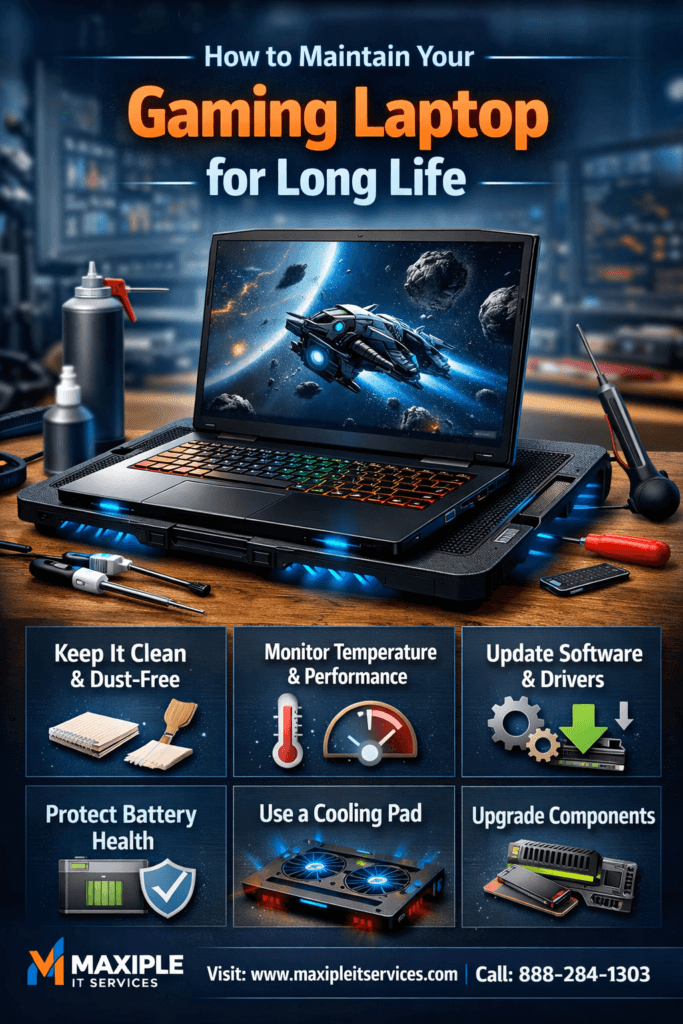
Keep Your Gaming Laptop Clean and Dust-Free
Dust accumulation reduces cooling efficiency and affects overall system stability. Regular requires cleaning external surfaces and internal components carefully.
Use a microfiber cloth to wipe the screen and keyboard gently. Compressed air can remove dust from ports and ventilation grills safely. Avoid using liquid cleaners directly on sensitive components.
Internal Cleaning as Part of Gaming Laptop Maintenance
Professional internal cleaning should be done every six to twelve months. Skilled technicians open the laptop and clean fans, heat sinks, and thermal vents thoroughly. This advanced process ensures optimal airflow and cooling efficiency.
If you are unsure about opening your laptop, consult certified experts for safe servicing. Professional support reduces risks of accidental damage during internal cleaning.
Monitor Temperature and Performance Regularly
Temperature monitoring tools help track CPU and GPU heat levels during gaming sessions. Installing reliable software is a smart step in effective routines.
If temperatures consistently exceed recommended limits, you should inspect the cooling system immediately. Overheating signals that your routine may require improvement.
Use Cooling Pads for Better Gaming Laptop Maintenance
Cooling pads provide additional airflow under the laptop chassis. They help reduce surface temperature and improve gaming stability. Including a cooling pad in your gaming laptop maintenance setup can significantly extend hardware life.
Choose cooling accessories designed specifically for gaming laptops. Proper support prevents thermal throttling and performance drops during intense gameplay.
Update Software and Drivers Consistently
Outdated drivers can cause crashes, lag, and compatibility problems. Regular updates are an essential part of for stable performance.
Graphics drivers should always be updated from official manufacturer websites. Updated drivers optimize gaming performance and improve hardware efficiency.
Operating System Updates in Gaming Laptop Maintenance
Operating system updates fix security vulnerabilities and system bugs. Delaying updates may expose your laptop to malware and performance issues. Consistent gaming laptop maintenance includes installing verified system updates promptly.
However, always back up important data before major system upgrades. Backup protection prevents accidental data loss during updates.
Protect Battery Health with Smart Charging Habits
Gaming laptops consume high power, especially during intensive gaming sessions. Proper charging practices are crucial for effective and long battery life.
Avoid keeping your laptop plugged in continuously at 100% charge. Overcharging reduces battery capacity over time and impacts portability.
Battery Optimization in Gaming Laptop Maintenance
Enable battery optimization settings provided by your laptop manufacturer. These tools limit charging levels and extend battery lifespan. Responsible includes monitoring battery cycles regularly.
If your battery drains quickly or overheats, consider professional inspection. Early detection prevents further power-related damage.
Upgrade Components When Necessary
Hardware upgrades can extend your laptop’s useful life significantly. Adding more RAM or upgrading to an SSD supports advanced strategies.
Increased RAM improves multitasking and reduces lag during gameplay. SSD upgrades enhance loading speed and overall responsiveness.
Professional Support for Gaming Laptop Maintenance
Complex upgrades require technical expertise to avoid motherboard damage. Consulting professionals ensures safe component installation and reliable performance. For trusted assistance, visit https://maxipleitservices.com/ or call 8882841303 today.
Expert technicians can inspect your system and recommend suitable upgrades. Regular servicing combined with professional gaming laptop maintenance keeps your device powerful and efficient.
Final Thoughts on Gaming Laptop Maintenance
Maintaining a gaming laptop requires consistent care and attention to detail. From cleaning dust to updating software, each step in improves performance and durability. Small preventive actions help you avoid expensive repairs later.
Follow these best practices to ensure your device runs efficiently for years. If you experience overheating, battery issues, or hardware problems, professional help is always available. Contact Maxiple IT Services at 8882841303 for reliable and affordable gaming laptop repair solutions.