In today’s digital world, laptops store personal data, business files, passwords, and financial information. With the rise in cybercrime, protecting your device has become more important than ever. Learning how to protect your laptop from online threats is essential for students, professionals, and businesses alike.
Online threats such as viruses, malware, phishing attacks, ransomware, and spyware can slow down your system, steal sensitive data, or even lock you out of your laptop. This guide explains using practical, proven security measures. At Maxiple IT Services, we help users secure their laptops against modern cyber risks with professional solutions and expert support.
Why It Is Important to Know How to Protect Your Laptop from Online Threats
Cybercriminals are constantly finding new ways to attack laptops through emails, websites, apps, and unsecured networks. Understanding helps you:
Keep personal and business data safe
Prevent financial loss
Avoid system damage and data corruption
Maintain smooth laptop performance
Reduce the risk of identity theft
Online security is no longer optional—it is a necessity.
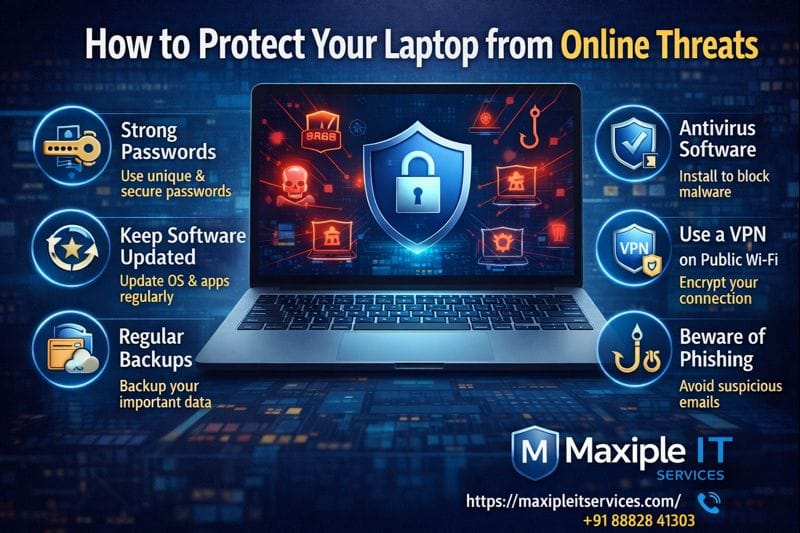
How to Protect Your Laptop from Online Threats Using Strong Passwords
One of the simplest but most effective steps in is using strong and unique passwords.
Best Practices:
Use long passwords with letters, numbers, and symbols
Avoid using the same password everywhere
Change passwords regularly
Enable two-factor authentication where possible
Weak passwords make it easy for hackers to access your laptop and online accounts.
How to Protect Your Laptop from Online Threats with Antivirus Software
Installing reliable antivirus software is a key part of . Modern antivirus tools use AI-based detection to identify threats before they cause damage.
Antivirus Benefits:
Real-time malware protection
Detection of suspicious activity
Protection against ransomware and spyware
Safe browsing and download protection
Keeping antivirus software updated ensures your laptop stays protected against the latest threats.
How to Protect Your Laptop from Online Threats by Keeping Software Updated
Outdated software is one of the biggest security risks. Hackers often exploit vulnerabilities in old operating systems and applications. Learning means keeping everything up to date.
Always Update:
Operating system (Windows/macOS)
Browsers
Antivirus software
Installed applications
Software updates include security patches that block known vulnerabilities.
How to Protect Your Laptop from Online Threats on Public Wi-Fi
Public Wi-Fi networks are convenient but unsafe. Understanding when using public internet is crucial.
Safety Tips:
Avoid accessing sensitive information on public Wi-Fi
Use a trusted VPN
Turn off file sharing
Disconnect when not in use
Unsecured networks allow attackers to intercept your data easily.
How to Protect Your Laptop from Online Threats Caused by Phishing
Phishing attacks trick users into revealing passwords, credit card details, or personal information. Knowing includes recognizing phishing attempts.
Common Phishing Signs:
Suspicious emails or messages
Fake login pages
Urgent or threatening language
Unknown links or attachments
Never click on suspicious links or download unknown files.
How to Protect Your Laptop from Online Threats by Securing Your Browser
Your web browser is a common entry point for online threats. A major part of is browser security.
Browser Protection Tips:
Use secure browsers
Enable pop-up blockers
Install trusted extensions only
Clear cache and cookies regularly
Secure browsing habits reduce the risk of malware infections.
How to Protect Your Laptop from Online Threats with Regular Backups
Even with strong protection, no system is 100% safe. That’s why also includes data backups.
Backup Options:
External hard drives
Cloud storage
Automatic scheduled backups
Backups protect you from data loss caused by ransomware, system crashes, or accidental deletion.
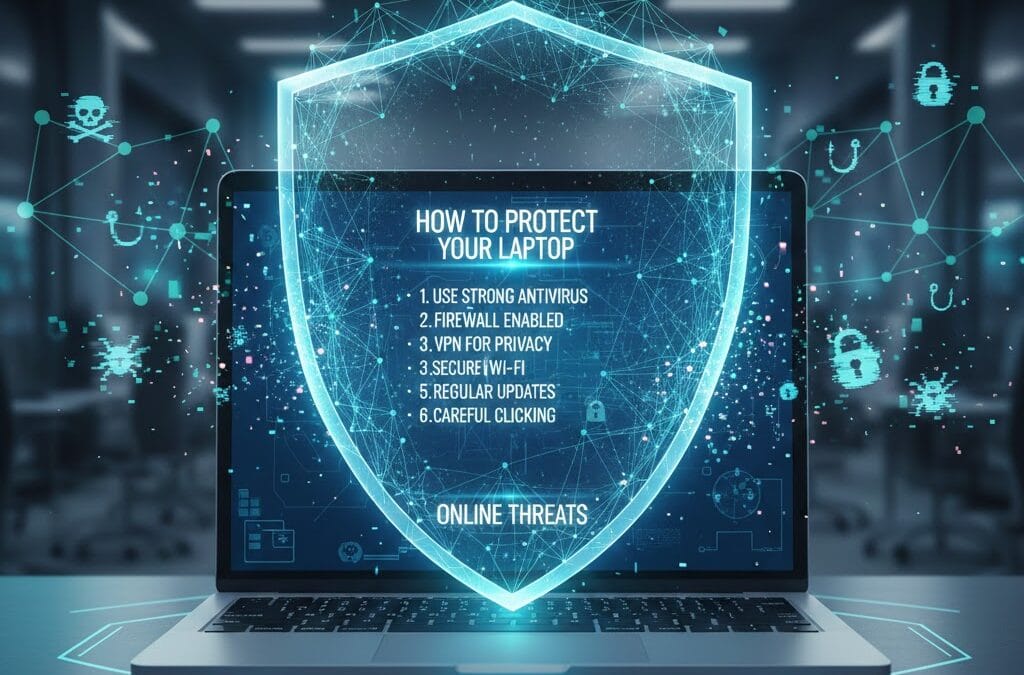
How to Protect Your Laptop from Online Threats Using Firewall Protection
Firewalls act as a barrier between your laptop and unauthorized access. Understanding includes enabling firewall protection.
Firewall Benefits:
Blocks unauthorized network access
Monitors incoming and outgoing traffic
Prevents hacking attempts
Always keep your firewall enabled for added security.
How to Protect Your Laptop from Online Threats for Business Users
Businesses face higher cybersecurity risks. Knowing is especially important for professionals and companies.
Business Security Measures:
Strong access control
Employee cybersecurity training
Secure data sharing
Regular system audits
Professional IT support ensures long-term security and compliance.
Why Choose Maxiple IT Services for Laptop Security Solutions
At Maxiple IT Services, we understand exactly using modern tools and professional expertise.
Our Services Include:
Virus and malware removal
Laptop security optimization
Data protection solutions
Antivirus and firewall setup
Professional IT support
🌐 Website: https://maxipleitservices.com/
📞 Phone: +91 88828 41303
We provide reliable, affordable, and expert laptop security services.
Common Mistakes That Increase Online Threat Risks
Even after learning how to protect your laptop from online threats, users often make mistakes such as:
Ignoring software updates
Using pirated software
Clicking unknown links
Disabling security features
Avoiding these mistakes greatly improves laptop safety.
Final Thoughts on How to Protect Your Laptop from Online Threats
Understanding how to protect your laptop from online threats is essential in today’s connected world. From using strong passwords and antivirus software to safe browsing and regular backups, every step plays a role in keeping your laptop secure.
For complete protection and professional support, trust Maxiple IT Services to safeguard your device against modern cyber threats.
📞 Call Now: +91 88828 41303
🌐 Visit: https://maxipleitservices.com/