Deciding whether to Repair or Replace Laptop devices is a common challenge for users facing performance issues. Laptops slow down over time due to hardware wear, outdated components, or accidental damage. While some problems are easy to fix, others may indicate it is time for a replacement. Understanding the difference helps you save money and avoid unnecessary upgrades.
Many users continue using faulty systems without realizing repair options exist. In other cases, replacing the laptop offers better long-term value. Knowing when to Repair or Replace Laptop equipment depends on cost, performance needs, and usage requirements. At MaxiPleit Services, we help users make informed decisions through professional diagnostics. Visit https://maxipleitservices.com/ or call 8882841303 for expert laptop repair advice.
Based on Age and Usage
Laptop age plays a major role when deciding to Repair or Replace Laptop systems. Most laptops are designed to last five to seven years.
If your laptop is within this range, repairs often make sense. Older laptops may struggle with modern software requirements.
Frequent use accelerates hardware wear, especially in business or student laptops. Usage patterns directly affect repair decisions.
for Older Devices
If a laptop is more than seven years old, replacement is usually recommended. Hardware limitations reduce upgrade options.
Outdated processors and memory restrict performance improvements. Repair costs may exceed the laptop’s actual value.
In such cases, replacing the laptop ensures better efficiency and long-term reliability.
Due to Performance Issues
Performance problems often prompt users to Repair or Replace Laptop devices. Slow startup and freezing indicate hardware strain.
Upgrading RAM or switching to an SSD can significantly improve performance. These repairs are cost-effective solutions.
If performance issues persist after upgrades, replacement may be a better option.
Repair or Replace Laptop for Storage and Memory Issues
Storage failure does not always require replacement. SSD upgrades restore speed and responsiveness quickly.
Insufficient RAM causes multitasking issues and system lag. Memory upgrades extend laptop lifespan.
Professional evaluation ensures the correct solution is chosen for your system.
After Hardware Damage
Physical damage strongly influences the Repair or Replace Laptop decision. Cracked screens and damaged keyboards are common.
Screen replacements are usually affordable compared to buying a new laptop. Keyboard repairs are also cost-effective.
However, internal damage may complicate repairs. Liquid spills often affect multiple components.
Repair or Replace Laptop After Water Damage
Water damage makes it difficult to Repair or Replace Laptop safely without inspection. Corrosion may spread internally.
Minor spills can sometimes be repaired with professional cleaning. Severe damage usually requires replacement.
Early intervention increases the chances of successful repair.
Based on Repair Cost
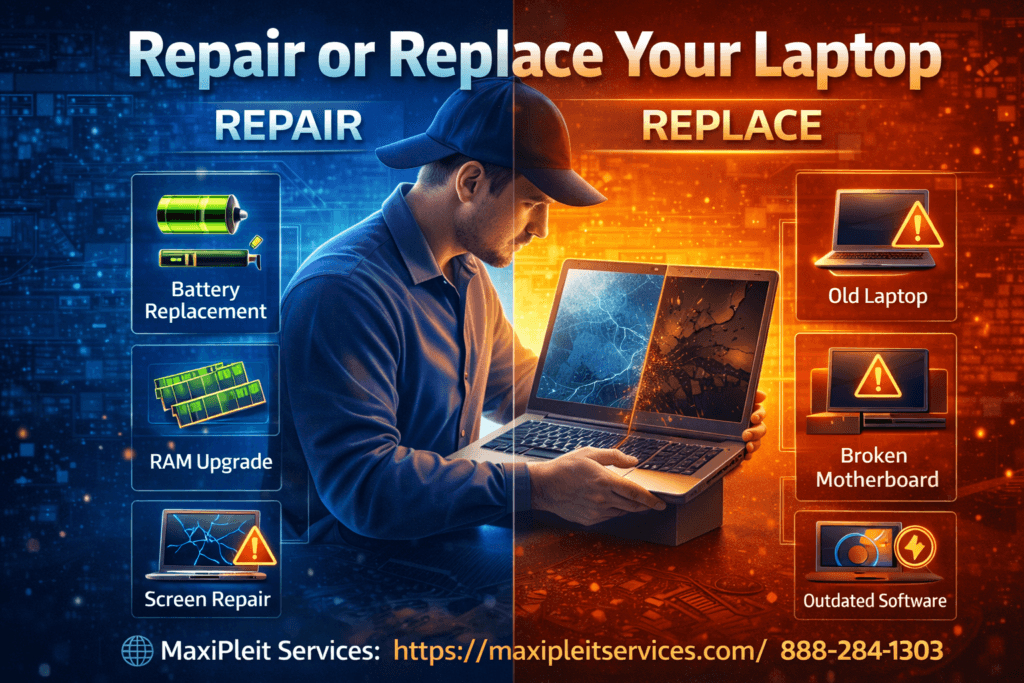
Cost comparison is crucial when choosing to Repair or Replace Laptop devices. Repairs under 30–40% of replacement cost are reasonable.
Expensive repairs may not justify the investment. Always compare repair estimates with new laptop pricing.
Professional diagnostics provide accurate cost assessments before making decisions.
Repair or Replace Laptop Using Cost Analysis
If motherboard replacement is required, replacement often makes more sense. Motherboards are expensive components.
Battery, storage, or screen repairs are usually economical. These repairs extend usability significantly.
Expert advice prevents unnecessary spending and poor decisions.
Software Compatibility
Software requirements impact the Repair or Replace Laptop choice. New applications demand higher system specifications.
Older laptops may not support modern operating systems. This limits security updates and performance.
Upgrading hardware may solve compatibility issues temporarily. Eventually, replacement becomes unavoidable.
Repair or Replace Laptop for Operating System Support
Unsupported operating systems pose security risks. Repairs cannot fix compatibility limitations.
Replacing the laptop ensures access to updates and improved security features.
This is especially important for business and professional users.
Repair or Replace Laptop for Battery and Power Problems
Battery issues often lead users to Repair or Replace Laptop devices prematurely. Battery degradation is normal over time.
Replacing the battery restores portability and performance. This is a simple and affordable repair.
Charging port damage may also cause power problems. These repairs are usually manageable.
Repair or Replace Laptop for Power Failures
Power supply or charging circuit failure can be complex. Professional inspection is essential.
If repairs are too costly, replacement may be recommended. Accurate diagnosis avoids guesswork.
Timely repairs prevent further damage to internal components.
Repair or Replace Laptop with Professional Guidance
Choosing to Repair or Replace Laptop devices is easier with expert guidance. DIY decisions often lead to mistakes.
Professional technicians assess hardware condition, costs, and future usability. This ensures informed choices.
At MaxiPleit Services, we provide transparent diagnostics and honest recommendations.
If you are unsure whether to Repair or Replace Laptop, visit https://maxipleitservices.com/ or call 8882841303 today for professional support.