
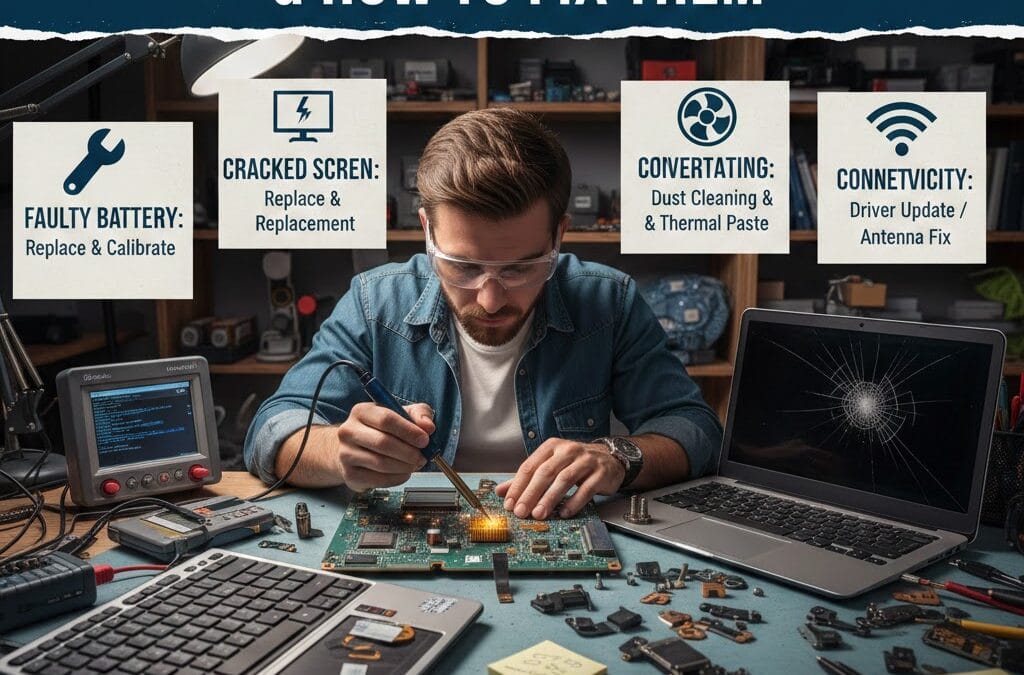
Laptops are essential for work, education, and daily communication, but technical problems can interrupt productivity at any time. Understanding common laptop repair problems helps users identify issues early and apply the correct solutions. At Maxiple IT Services, we regularly assist customers with hardware and software-related laptop failures. From laptops not turning on to slow performance and display issues, many problems can be fixed with proper guidance. This blog explains the most common laptop repair problems and how to fix them safely. Knowing when to troubleshoot and when to seek professional help can save time and money. For expert laptop repair support, you can contact our technicians at 8882841303.
Understanding Common Laptop Repair Problems
Laptop repair problems usually fall into two main categories: hardware and software issues. Hardware problems involve physical components such as screens, keyboards, or batteries. Software problems are related to operating systems, drivers, or malware infections.
Identifying the category of the issue helps determine the correct repair method. Some problems can be resolved with simple troubleshooting, while others require professional intervention. Early diagnosis prevents further damage and costly repairs.
Signs That Indicate Common Laptop Repair Problems
Frequent freezing, slow startup, or unresponsive keys often indicate underlying repair problems. Overheating, unusual noises, and sudden shutdowns are also warning signs that should not be ignored.
Hardware vs Software Laptop Repair Problems
Hardware issues usually require part replacement or cleaning, while software problems often involve updates or configuration changes. Understanding the difference saves time during troubleshooting.
Common Laptop Repair Problems Related to Power Issues
One of the most common laptop repair problems users face is power failure. Laptops may not turn on, shut down unexpectedly, or fail to charge properly. These issues are often linked to batteries, chargers, or internal power components.
Checking the charger, power outlet, and battery health is the first step. If the problem persists, internal components like the charging port or motherboard may need inspection.
Battery Problems Among Common Laptop Repair Problems
Laptop batteries degrade over time and may stop holding a charge. Replacing the battery often restores normal performance and power reliability.
Charging Port Issues and Power Failure
A loose or damaged charging port can prevent proper power flow. Professional repair ensures safe replacement without motherboard damage.
Common Laptop Repair Problems Caused by Display Issues
Screen-related issues are also among the most common laptop repair problems. Users may experience flickering displays, black screens, or cracked panels. These problems can result from physical damage or internal cable issues.
External monitor testing helps determine whether the issue lies with the screen or graphics hardware. Screen replacement is often the most effective solution for physical damage.
Screen Flickering and Black Display Problems
Loose display cables or outdated graphics drivers commonly cause flickering. Updating drivers or reseating cables usually resolves the issue.
Cracked Screen Repair Solutions
Cracked laptop screens cannot be repaired and require full replacement. Professional installation ensures proper fit and display quality.
Common Laptop Repair Problems Related to Keyboard and Input Devices
Keyboard issues rank high among common laptop repair problems. Keys may stop responding, stick, or type incorrect characters. Touchpads may also become unresponsive due to driver or hardware issues.
Cleaning the keyboard can resolve minor problems. However, liquid damage or widespread key failure often requires keyboard replacement.
Laptop Keyboard Issues in Common Laptop Repair Problems
Dust, debris, and spills are major causes of keyboard failure. Regular cleaning helps prevent long-term damage.
Touchpad Troubleshooting Tips
Updating drivers and adjusting settings can restore touchpad functionality. Hardware replacement may be needed for physical damage.
Common Laptop Repair Problems Caused by Overheating
Overheating is a serious issue that affects laptop performance and longevity. Dust buildup, blocked vents, or failing fans can cause excessive heat. Overheating may lead to automatic shutdowns and hardware damage.
Cleaning cooling components and replacing thermal paste helps maintain proper temperature. Ignoring overheating can result in motherboard failure.
Fan Noise and Heat Build-Up Issues
Loud fan noise often indicates dust accumulation or fan wear. Cleaning or replacing the fan restores proper airflow.
Preventing Overheating Damage
Using laptops on flat surfaces and cleaning vents regularly reduces overheating risks and improves performance.
Common Laptop Repair Problems Related to Software Issues
Software-related failures are among the most common laptop repair problems today. Slow performance, boot errors, and frequent crashes often stem from outdated software or malware infections.
Updating the operating system and running antivirus scans can fix many software issues. Reinstalling the OS may be required for severe corruption.
Laptop Running Slow Software Fixes
Removing unnecessary programs and optimizing startup processes improves speed and responsiveness.
Virus and Malware Repair Solutions
Installing trusted security software protects laptops from future infections and data loss.
Preventing Common Laptop Repair Problems in the Future
Preventive care plays a crucial role in reducing repair needs. Regular cleaning, proper handling, and timely software updates keep laptops running smoothly. Avoiding liquid exposure and using protective accessories also helps prevent damage.
Professional maintenance ensures early detection of hidden issues. Preventive measures save money and extend laptop lifespan significantly.
Daily Habits to Avoid Laptop Repair Problems
Avoid eating near laptops and handle devices gently during transport. Proper usage habits reduce accidental damage.
When to Contact Professional Laptop Repair Services
If problems persist or worsen, professional repair is recommended. Contact Maxiple IT Services at 8882841303 for reliable laptop repair solutions.
Understanding common laptop repair problems helps users troubleshoot issues efficiently and avoid unnecessary downtime. While some problems can be fixed at home, others require professional expertise. For accurate diagnosis and long-lasting repairs, trust Maxiple IT Services to keep your laptop working smoothly.
📍 Laptop Repair Service Locations – Maxiple IT Services
Laptop Repair in Laxmi Nagar
https://maxipleitservices.com/laptop-repar-in-laxmi-nagar/Laptop Repair in Karol Bagh
https://maxipleitservices.com/the-best-laptop-repair-in-karol-bagh-maxiple-technology/Laptop Repair in Dwarka
https://maxipleitservices.com/the-best-laptop-repair-in-dwarka-maxiple-technology/Laptop Repair in Nehru Place
https://maxipleitservices.com/the-best-laptop-repair-in-nehru-place-maxiple-technology/Laptop Repair in Rajouri Garden
https://maxipleitservices.com/the-best-laptop-repair-in-rajouri-garden-maxiple-technology/Laptop Repair in Rohini
https://maxipleitservices.com/the-best-laptop-repair-in-rohini-maxiple-technology/Laptop Repair in South Extension
https://maxipleitservices.com/the-best-laptop-repair-in-south-extension-maxiple-technology/Laptop Repair in IP Extension
https://maxipleitservices.com/laptop-repair-in-i-p-extension/Laptop Repair in Noida
https://maxipleitservices.com/laptop-repair-in-noida/Laptop Repair in Indirapuram
https://maxipleitservices.com/the-best-laptop-repair-in-indirapuram-maxiple-technology/Laptop Repair in Ghaziabad
https://maxipleitservices.com/laptop-repair-in-ghaziabad/Laptop Repair in Faridabad
https://maxipleitservices.com/laptop-repair-in-faridabad/Laptop Repair in Gurgaon
https://maxipleitservices.com/laptop-repair-in-gurgaon/