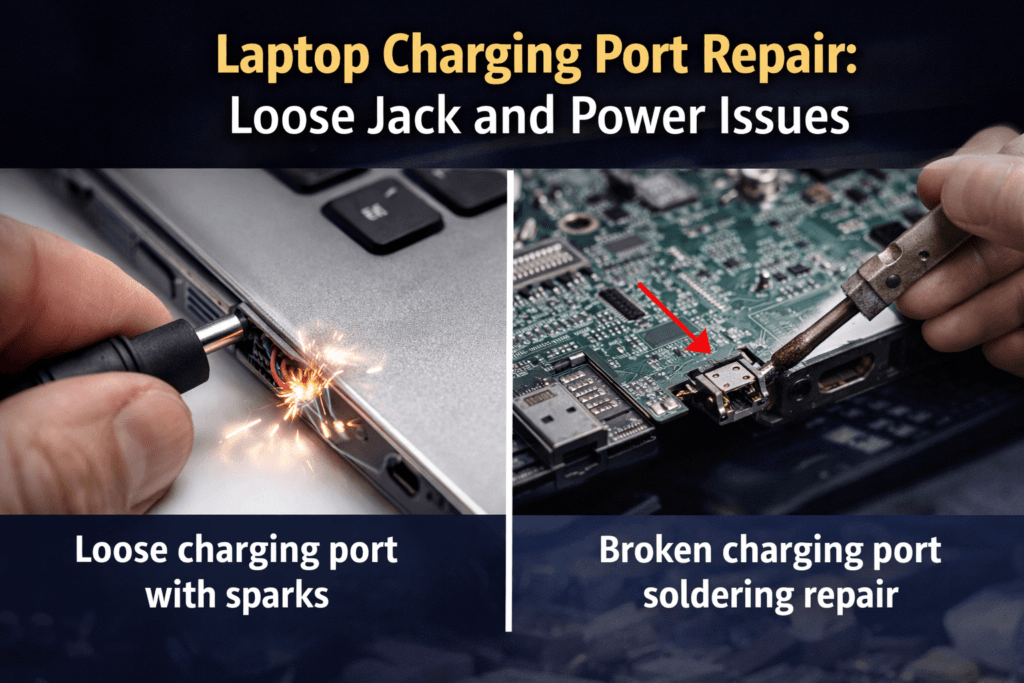
A malfunctioning laptop charging port can be one of the most frustrating hardware issues. Many users experience Laptop Charging Port Problems such as loose jacks, intermittent charging, or complete power failure. When your laptop fails to charge properly, it impacts productivity, and prolonged use without proper power can even damage internal components.
At Maxiple IT Services, we specialize in diagnosing and repairing Laptop Charging Port Issues. Whether it’s a loose jack, bent pin, or soldering problem on the motherboard, our certified technicians provide fast and reliable solutions. For expert laptop repair services, visit https://maxipleitservices.com/ or call 88828 41303 today.
Understanding Laptop Charging Port Issues
A laptop’s charging port is a critical component that connects the power adapter to the internal motherboard. Laptop Charging Port Problems can cause erratic power supply, slow battery charging, or complete laptop shutdown.
Common Signs of a Faulty Charging Port
Laptop not charging even when plugged in
Loose or wobbly charging jack
Laptop only charges in certain positions
Sparks or heat near the charging port
Error messages like “Plugged in, not charging”
Identifying these signs early prevents battery and motherboard damage, saving repair costs in the long run.
Causes of Laptop Charging Port Problems
Several factors can contribute to Laptop Charging Port Issues, from physical wear to internal damage.
Physical Damage
Frequent plugging and unplugging of the charger can loosen or bend the charging jack. Dropping the laptop can also misalign the port.
Dust and Debris
Accumulated dust, dirt, or debris in the charging port prevents proper electrical contact, leading to inconsistent charging.
Motherboard Issues
A damaged motherboard, loose solder joints, or power circuitry problems can cause charging failures even if the port itself appears intact.
Faulty Chargers
Sometimes the problem lies in the charger rather than the laptop. Using non-genuine adapters can damage the port over time.
Step-by-Step
Fixing Laptop Charging Port Problems requires careful diagnosis and professional handling. Here’s a general repair approach.
Step 1: Inspection
Examine the charging port, adapter, and cable for physical damage or loose connections. Use a multimeter to check voltage output.
Step 2: Cleaning the Port
Remove dust and debris using a soft brush or compressed air. Ensure the port is free of obstructions.
Step 3: Soldering or Replacement
If the port is loose or damaged, a certified technician will either resolder the connection to the motherboard or replace the port entirely.
Step 4: Testing
After repair, the laptop is tested under full load to ensure the charging port works correctly and the battery is charging efficiently.
Preventing Future Charging Port Issues
Proper handling and maintenance can prolong the life of your laptop charging port.
Tips for Prevention
Avoid bending or twisting the charger while plugged in
Keep the port clean and dust-free
Use genuine chargers and adapters
Avoid placing heavy objects on the laptop while charging
Regular preventive care reduces wear and minimizes the risk of Laptop Charging Port Problems.
Why Professional Repair is Recommended
DIY attempts to fix charging ports can worsen the problem. Professional repair ensures:
Proper diagnosis of motherboard and port issues
Safe replacement or soldering without damage
Long-term reliability and performance
At Maxiple IT Services, our technicians have experience repairing Laptop Charging Ports for all major brands, including HP, Dell, Lenovo, Asus, Acer, and Apple. Call 88828 41303 or visit https://maxipleitservices.com/ for expert assistance.
Signs You Need Immediate Repair
Ignoring Laptop Charging Port Problems can lead to severe damage. Watch for:
Laptop shutting down unexpectedly
Sparks or smoke near the charging port
Intermittent charging despite using a functional adapter
Visible damage to the port pins
Prompt repair prevents motherboard issues and protects your laptop’s battery.
Benefits of Timely Charging Port Repair
Ensures consistent and reliable laptop power
Prevents further internal hardware damage
Saves money compared to full motherboard replacement
Extends the life of your laptop and battery
With professional repair, your laptop will regain optimal performance and charging efficiency.
Conclusion
Laptop Charging Port Repair is essential to maintain your laptop’s functionality. Early detection, proper handling, and professional service prevent bigger issues and costly repairs. Maxiple IT Services offers fast, reliable, and affordable solutions for all laptop charging problems. Call 88828 41303 or visit https://maxipleitservices.com/ today to restore your laptop’s power and performance.